 Multi-currency support
Leveraged ETFs
Multi-currency support
Leveraged ETFs
 Cryptocurrencies
UK Gilts
UK CGT reporting
Equalisation payments
List of shortcut keys
Notes on data storage
Cryptocurrencies
UK Gilts
UK CGT reporting
Equalisation payments
List of shortcut keys
Notes on data storage

Portly was hand-written by humans (me, specifically) with minimal AI input. For the moment, at least, I believe that nothing beats good old-fashioned human craftsmanship !

Support for cryptoassets in Portly
Portly understands crypto-specific transactions such as airdrops, staking rewards, inter-wallet transfers etc. Please note that it can't yet handle the direct exchange of one security for another (although it's possible to get the same effect by entering separate buy/sell txns). Adding support for exchanges/swaps is high on my to-do list.
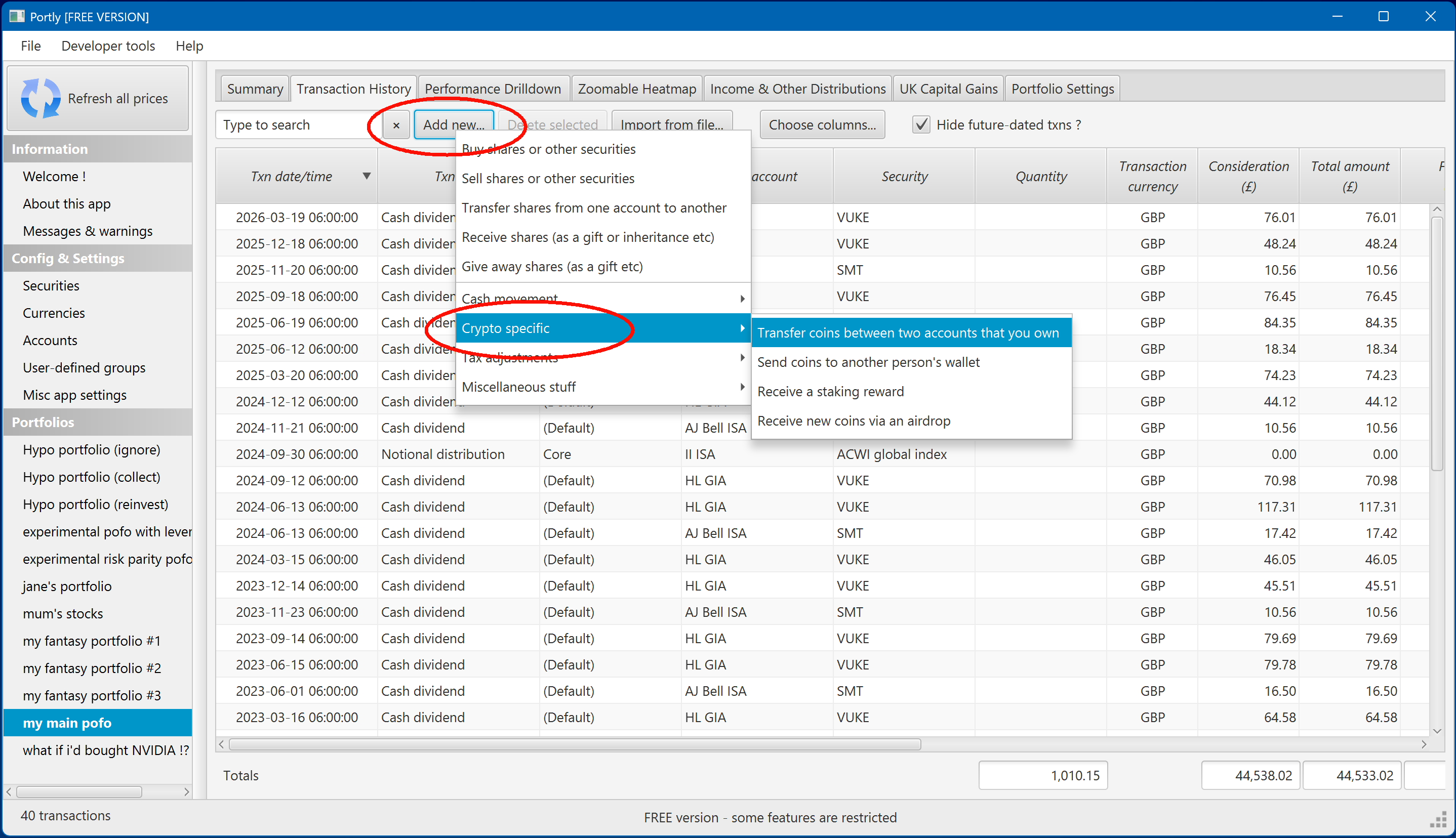
Buying and selling cryptocurrencies is no different than buying a share or an ETF. To enter a crypto-specific transaction such as a transfer or a staking reward, click the 'Add new...' button on the transaction tab, and look for the 'Crypto specific' sub-menu :
Regarding staking rewards : the approach I take is to enter one single reward txn at the end of the tax year, representing all the rewards I've received during the year. For UK taxpayers, you'll then need to work out the total taxable value of the reward, for income-tax purposes, by looking at the GBP value of each individual reward payment during the year (Portly can't do this calculation automatically - you'll need to look at your broker statements). It's theoretically possible to enter one reward txn per day, or per week, but I wouldn't recommend it !
UK tax issues
Portly understands how crypto transactions should be treated, for UK tax purposes. For example, sending coins to a wallet that's owned by somebody else typically triggers a disposal for CGT purposes. Receiving an airdrop typically counts as income, etc.
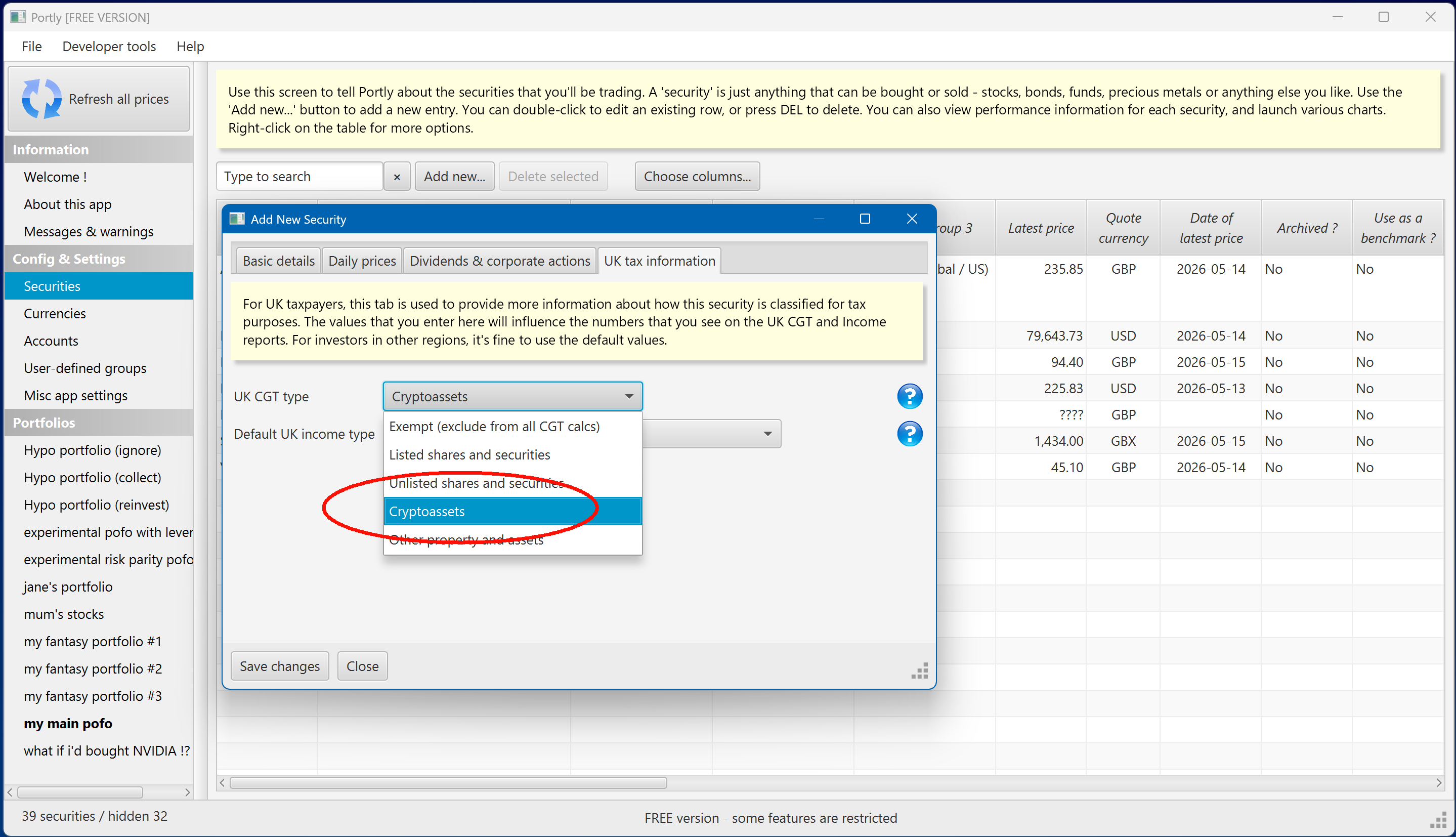
For CGT reporting, Portly is able to split crypto-assets into a separate area of the CGT report. You just need to ensure that the security is marked as a cryptoasset when you set it up :
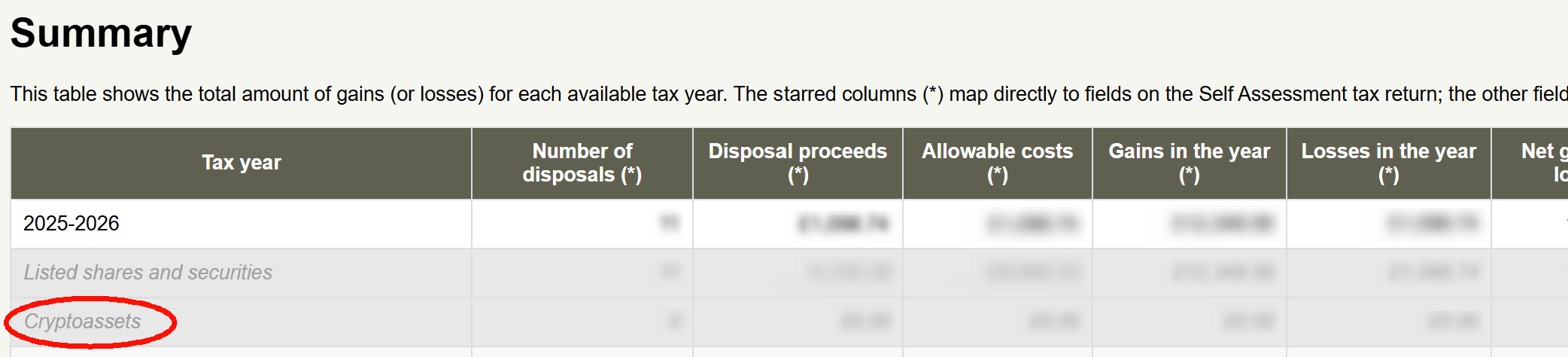
In the HTML CGT report, you'll then see any crypto transactions broken out into a separate section, like this :
(for more information on CGT reporting in Portly, click here)
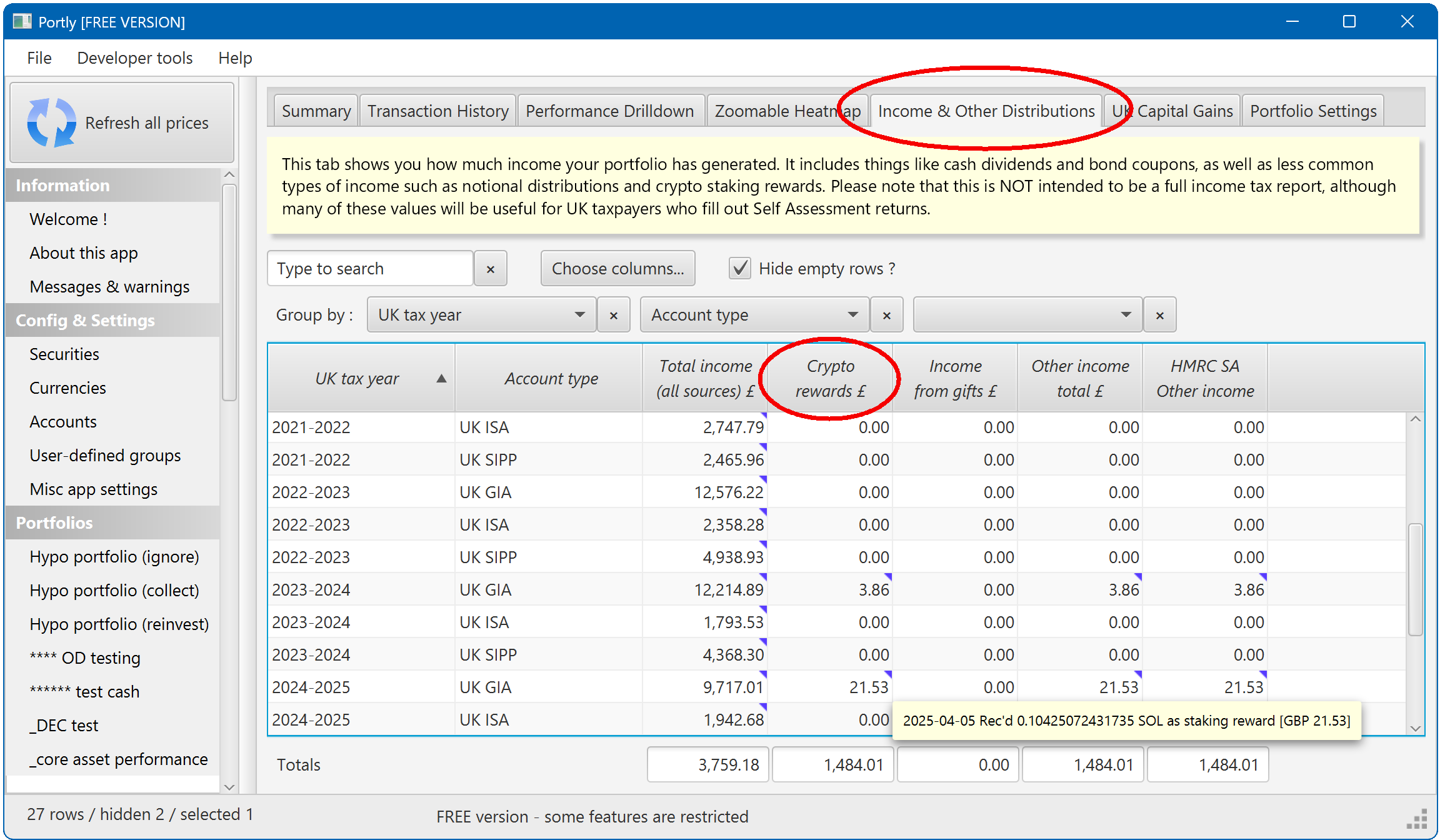
Things like staking rewards and airdrops will automatically flow through to the Income report, grouped under the 'other income' columns :
(for more information on income reporting in Portly, click here)
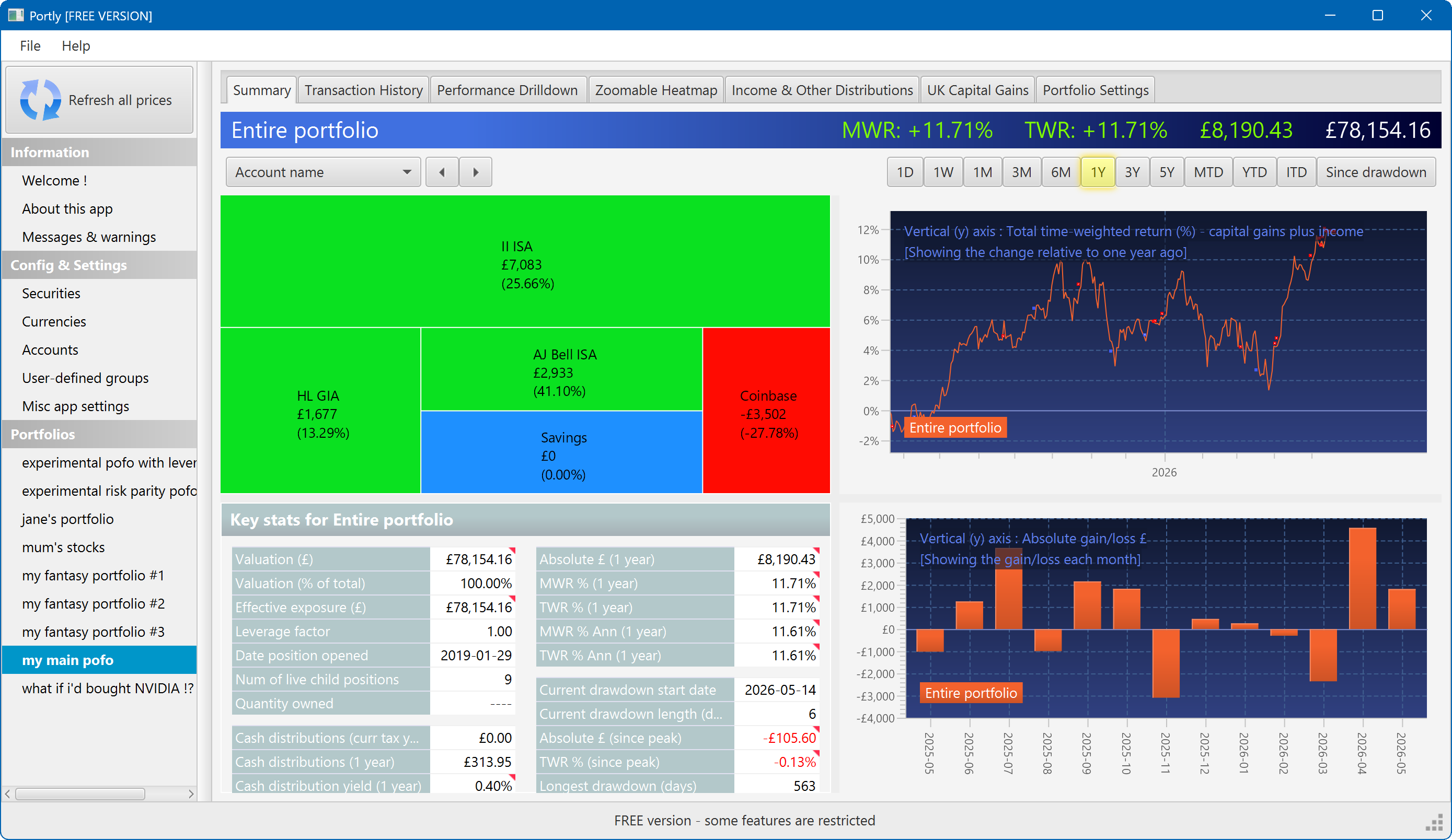
The summary screen gives an at-a-glance overview of your portfolio's performance. To read more about it, click here
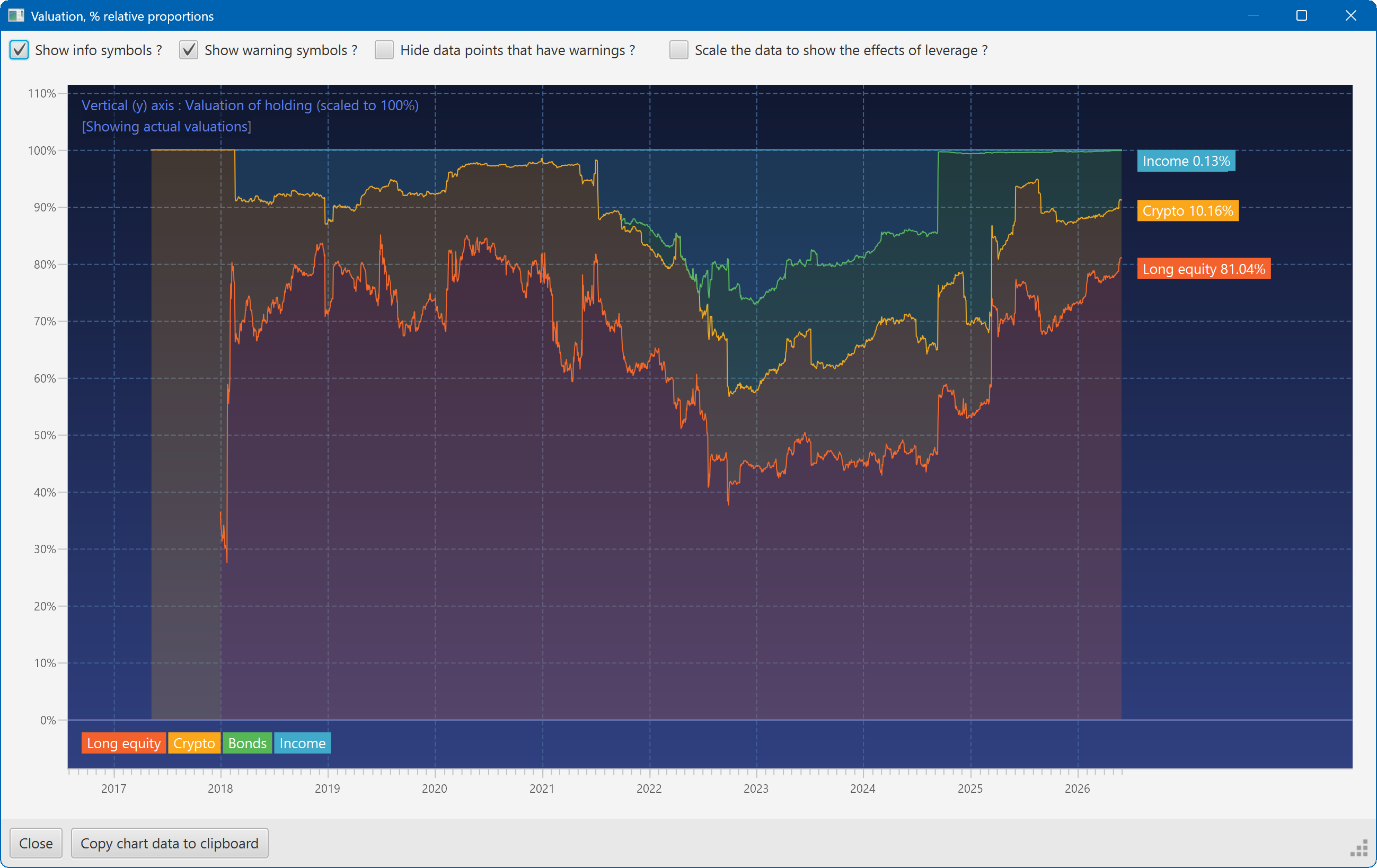
This plot shows the changing composition of a portfolio over time. It uses user-defined groups to organise the assets into different classes.
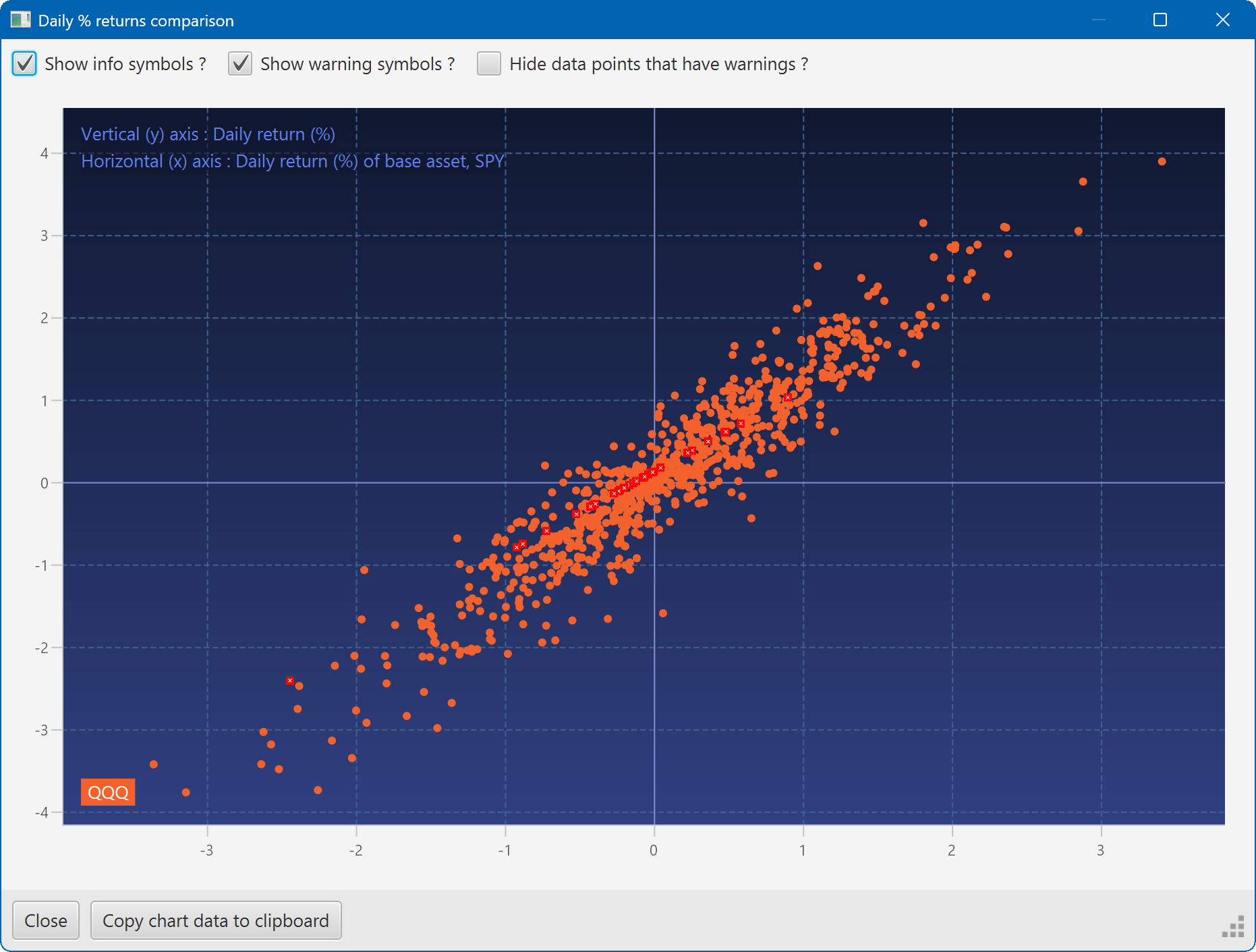
A scatter plot, showing how the daily moves of one security (QQQ) relate to the daily moves of another (SPY)
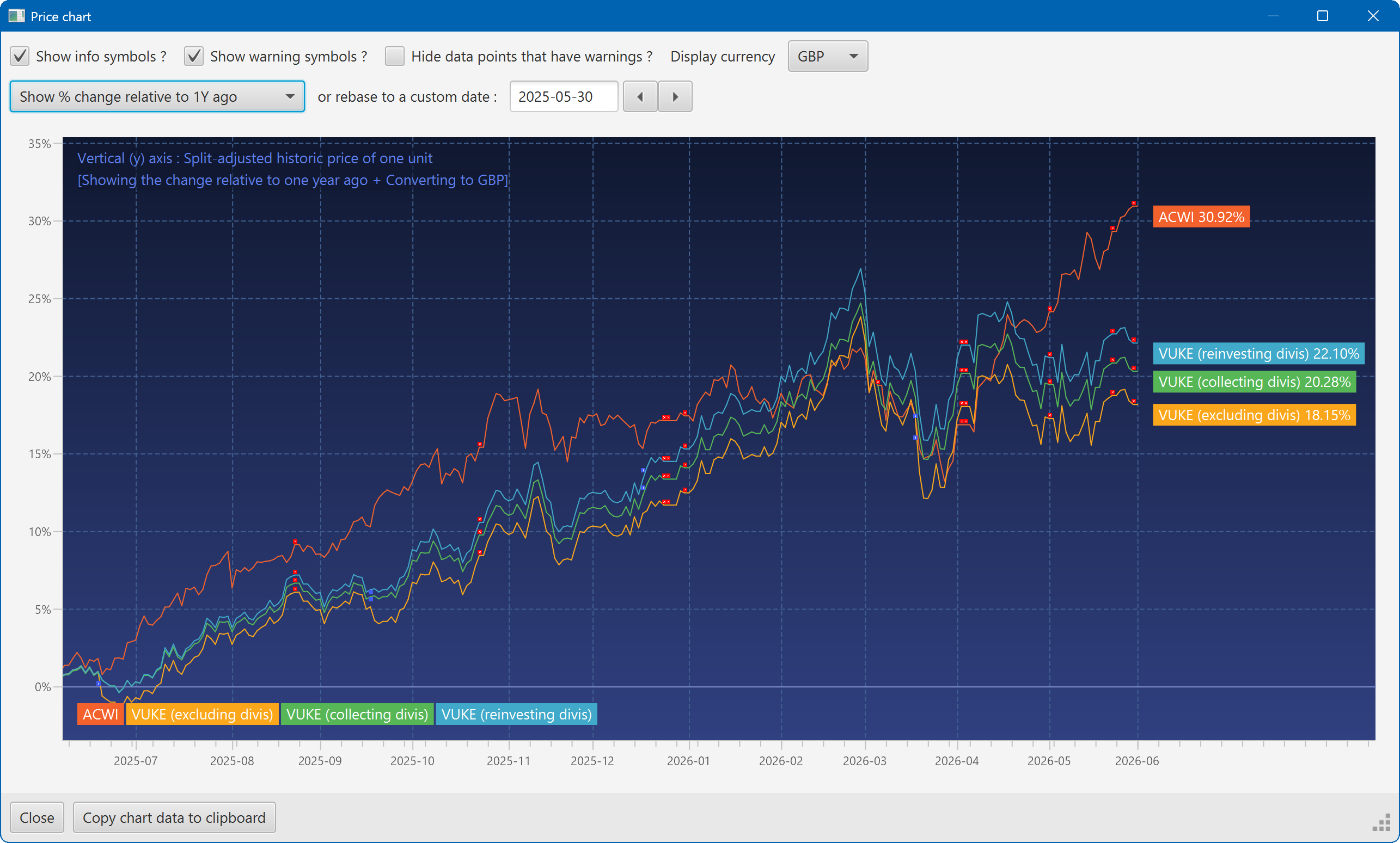
A chart showing the growth of two securities over the past year
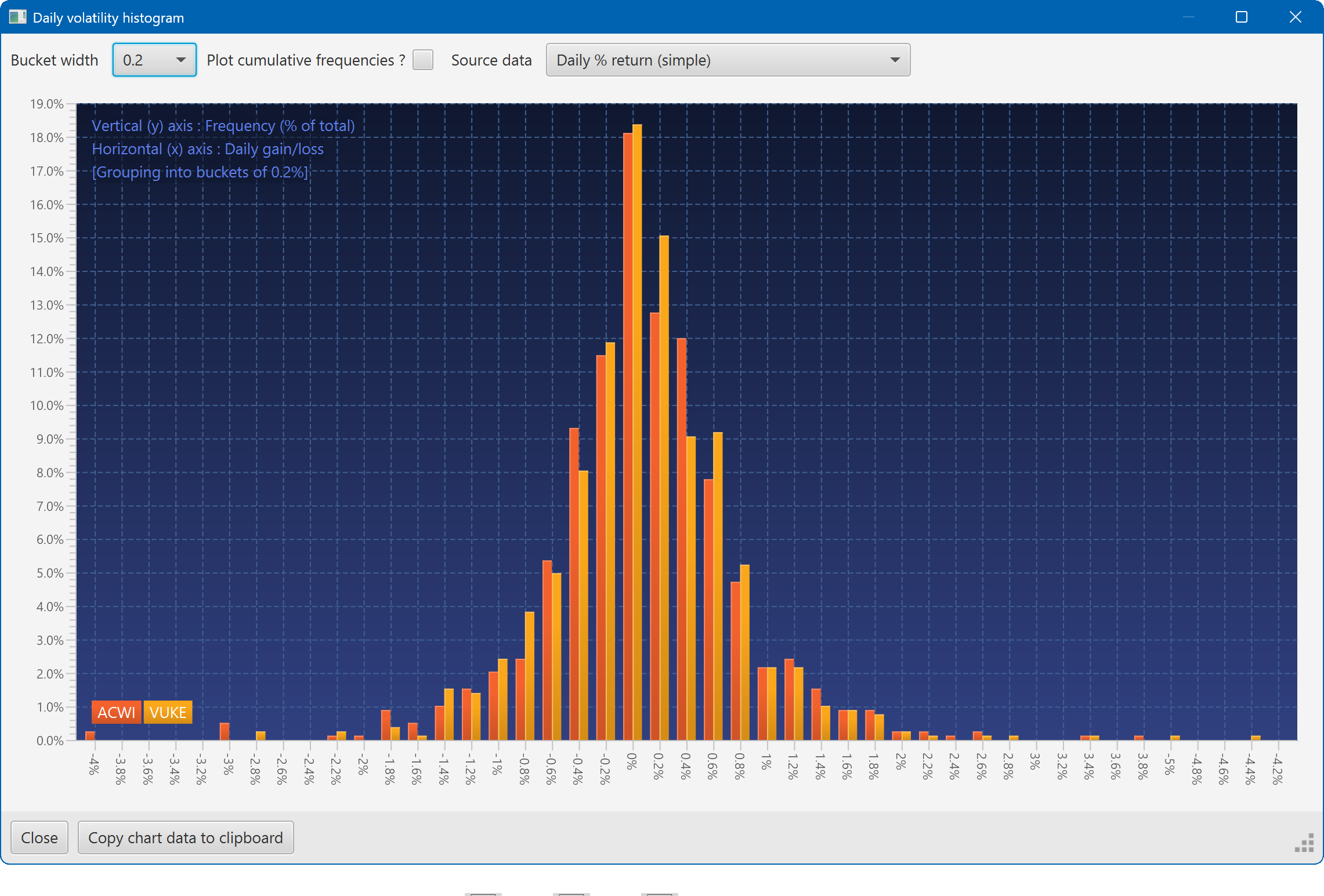
A histogram showing the daily returns of two securities, overlaid
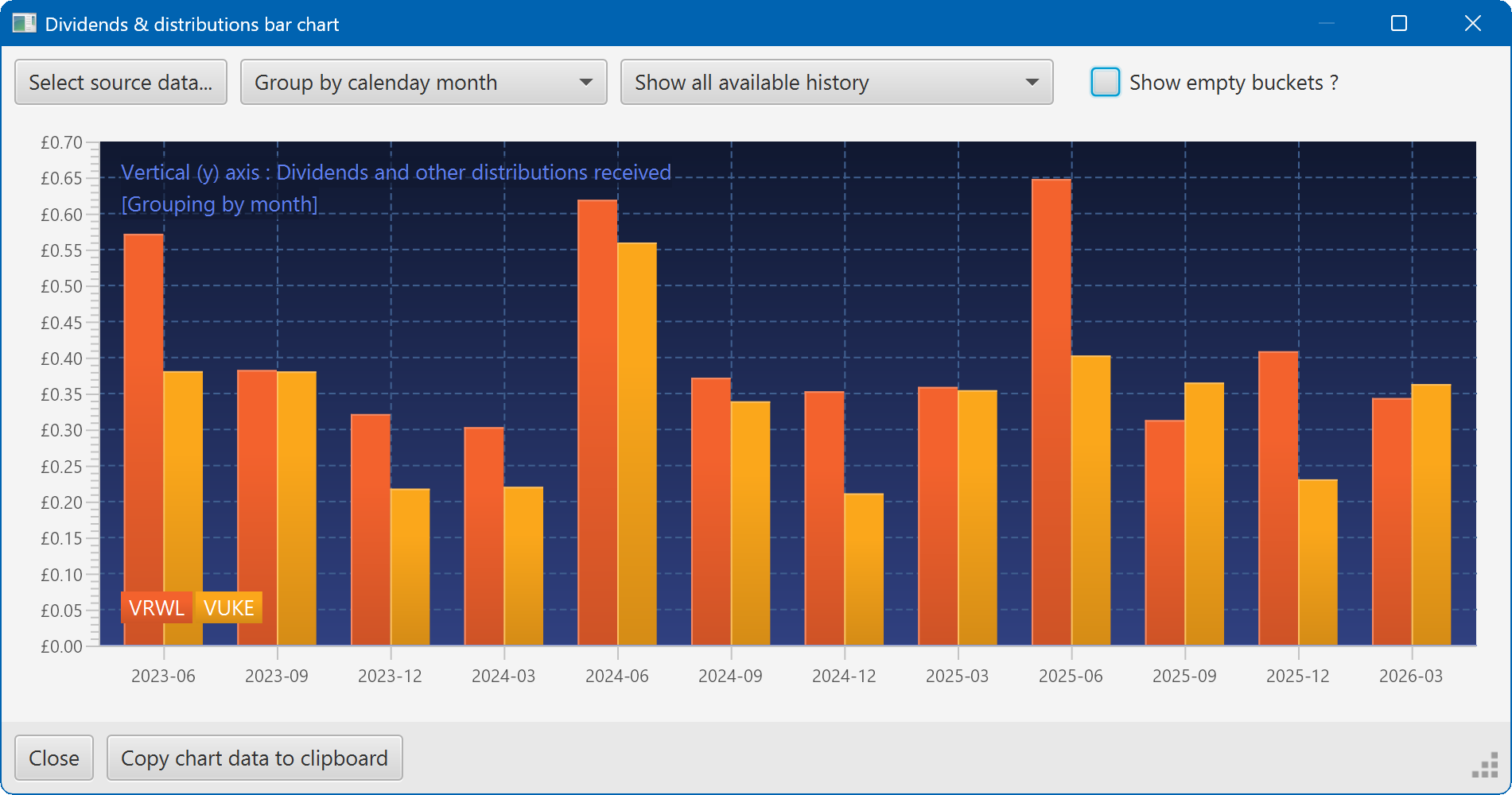
A bar chart showing the dividend history of two securities