 Multi-currency support
Leveraged ETFs
Cryptocurrencies
Multi-currency support
Leveraged ETFs
Cryptocurrencies
 UK Gilts
UK CGT reporting
Equalisation payments
List of shortcut keys
Notes on data storage
UK Gilts
UK CGT reporting
Equalisation payments
List of shortcut keys
Notes on data storage

Portly was hand-written by humans (me, specifically) with minimal AI input. For the moment, at least, I believe that nothing beats good old-fashioned human craftsmanship !

Support for UK Gilts in Portly
Portly has support for fixed-rate (conventional) bonds issued by the UK government, aka Gilts. Here's what you need to know :
Initial setup
You'll need to begin by creating a new security to represent the Gilt. Create a new security as usual but choose the subtype 'UK Gilt' from the popup menu. In the security dialog, you'll then see an extra tab that captures some bond-specific information :
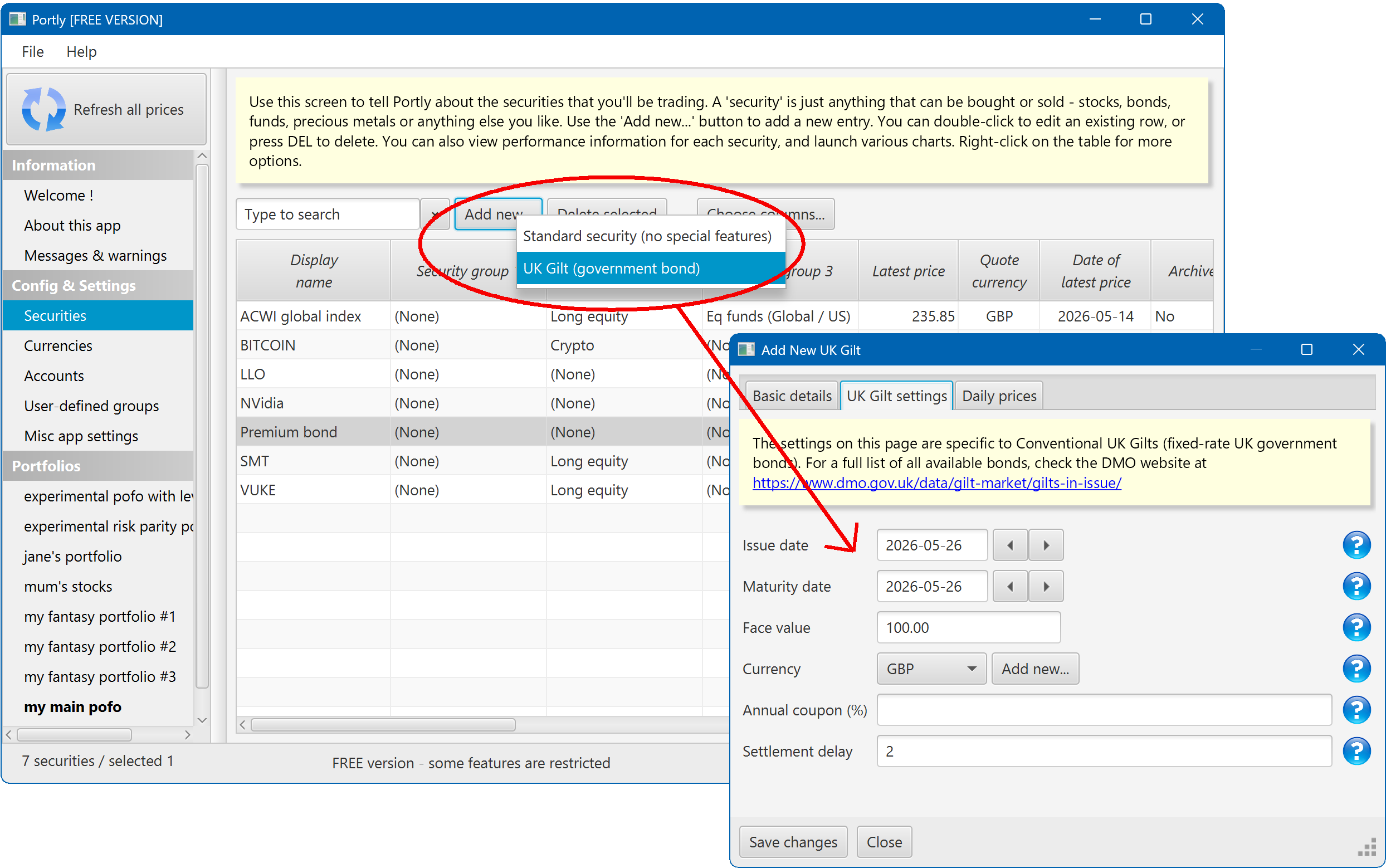
If you're not sure about any of the values on this screen, take a look at the DMO website, https://www.dmo.gov.uk/data/gilt-market/gilts-in-issue/
For price information, I've found the ShareCompare website to be a good source. Configure the bond something like this :
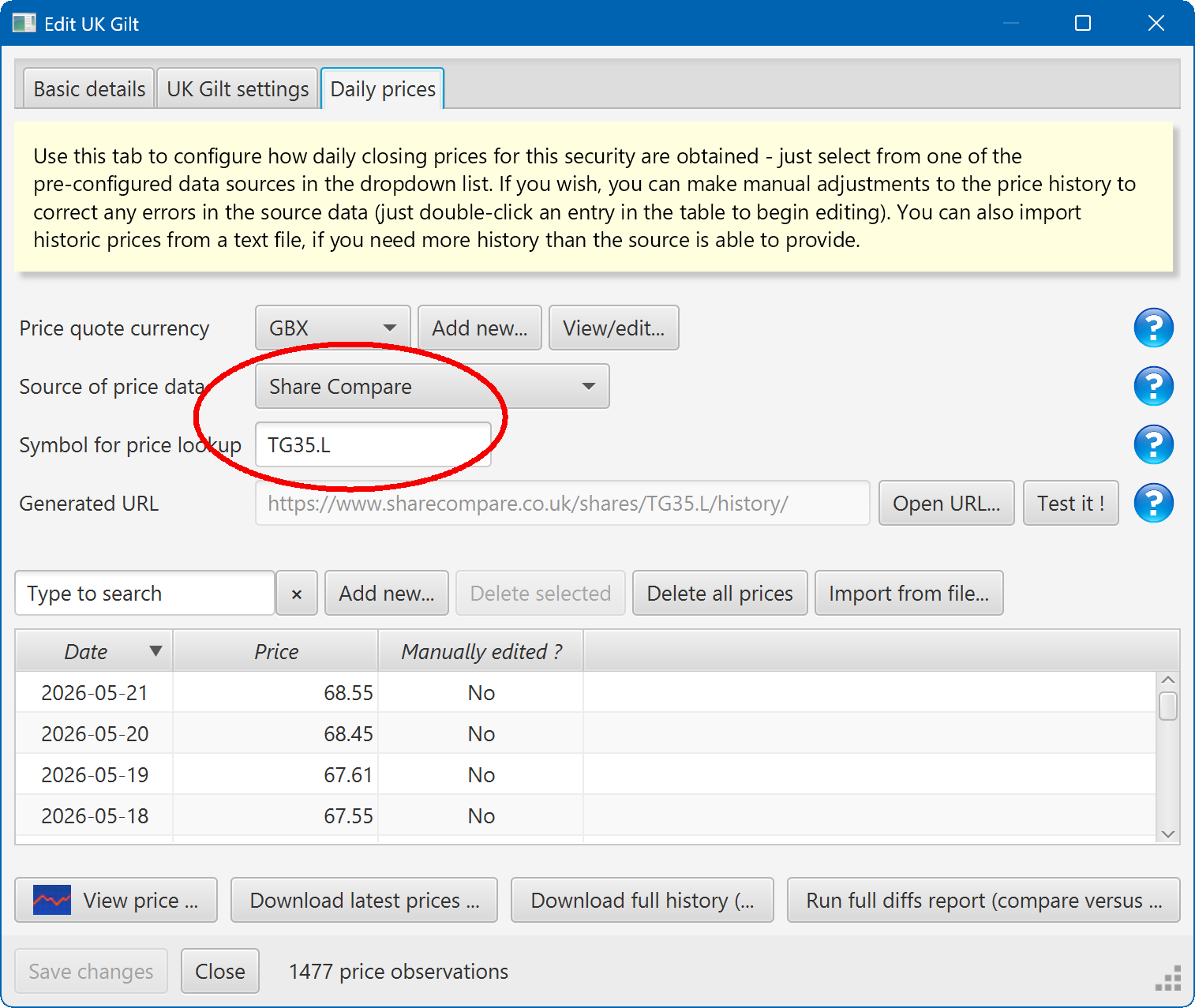
Note that Portly expects all market prices to be clean (meaning that accrued interest has been filtered out). You only need to worry about this if you're entering or importing prices manually.
Entering buy/sell transactions
Once this initial setup is done, you can begin entering transactions. Buying a Gilt is no different than buying a simple stock or ETF, apart from one small detail. When you buy a Gilt, you will typically have to pay an extra accrued interest payment in addition to the cost of the bond itself. Similarly, when you sell a bond, it's common to receive a small extra amount of accrued interest.
Your brokerage platform should tell you the amount of accrued interest paid or received. It's important to capture these amounts in Portly accurately, because they affect your tax calculations. If you don't split out accrued interest, you may end up paying the wrong amount of income tax.
You can enter the relevant amount of accrued interest using these fields :
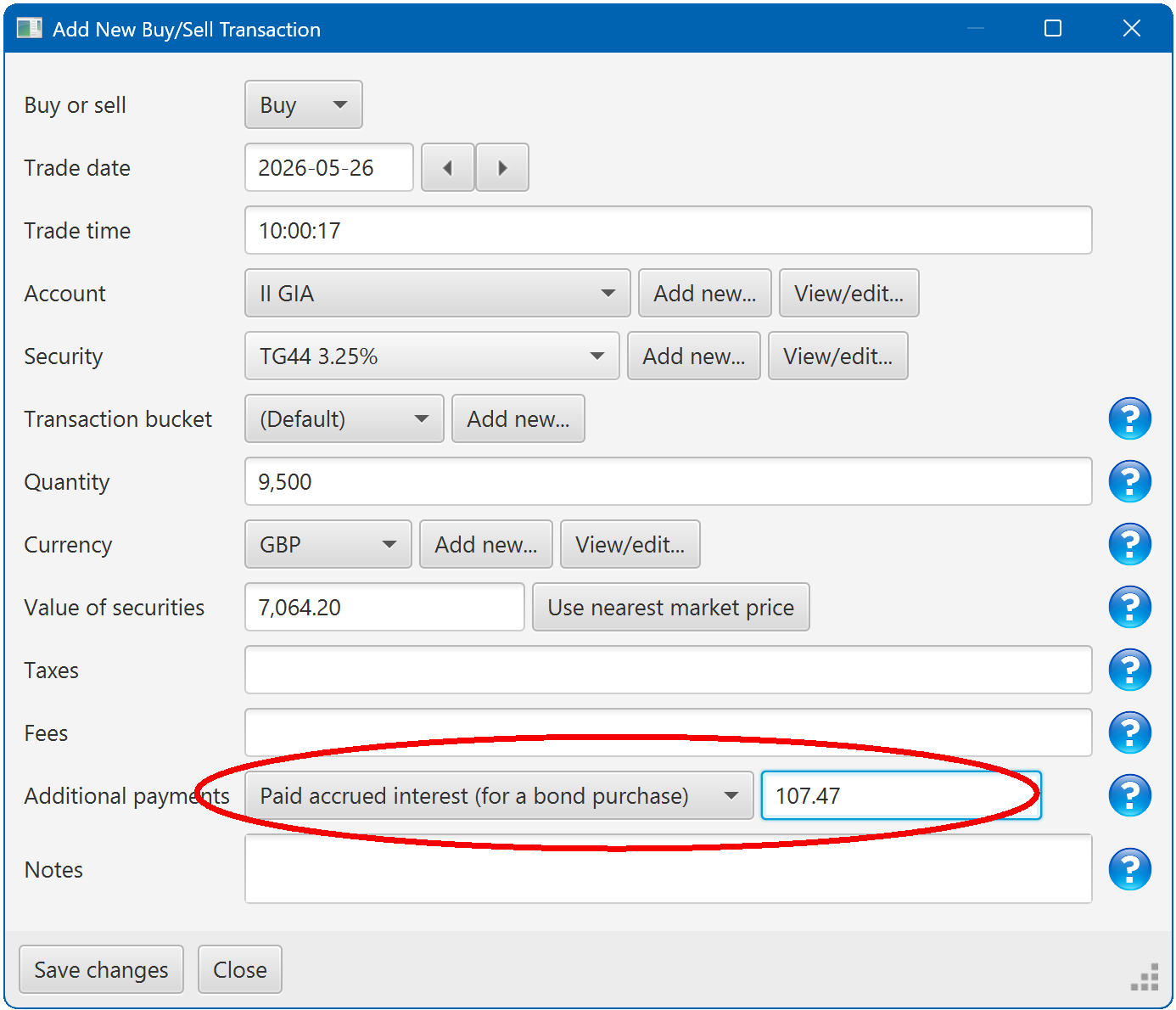
Note that in rare cases, you may receive something called 'rebate interest' when you purchase a bond. You can enter this in exactly the same way.
Viewing the bond coupons
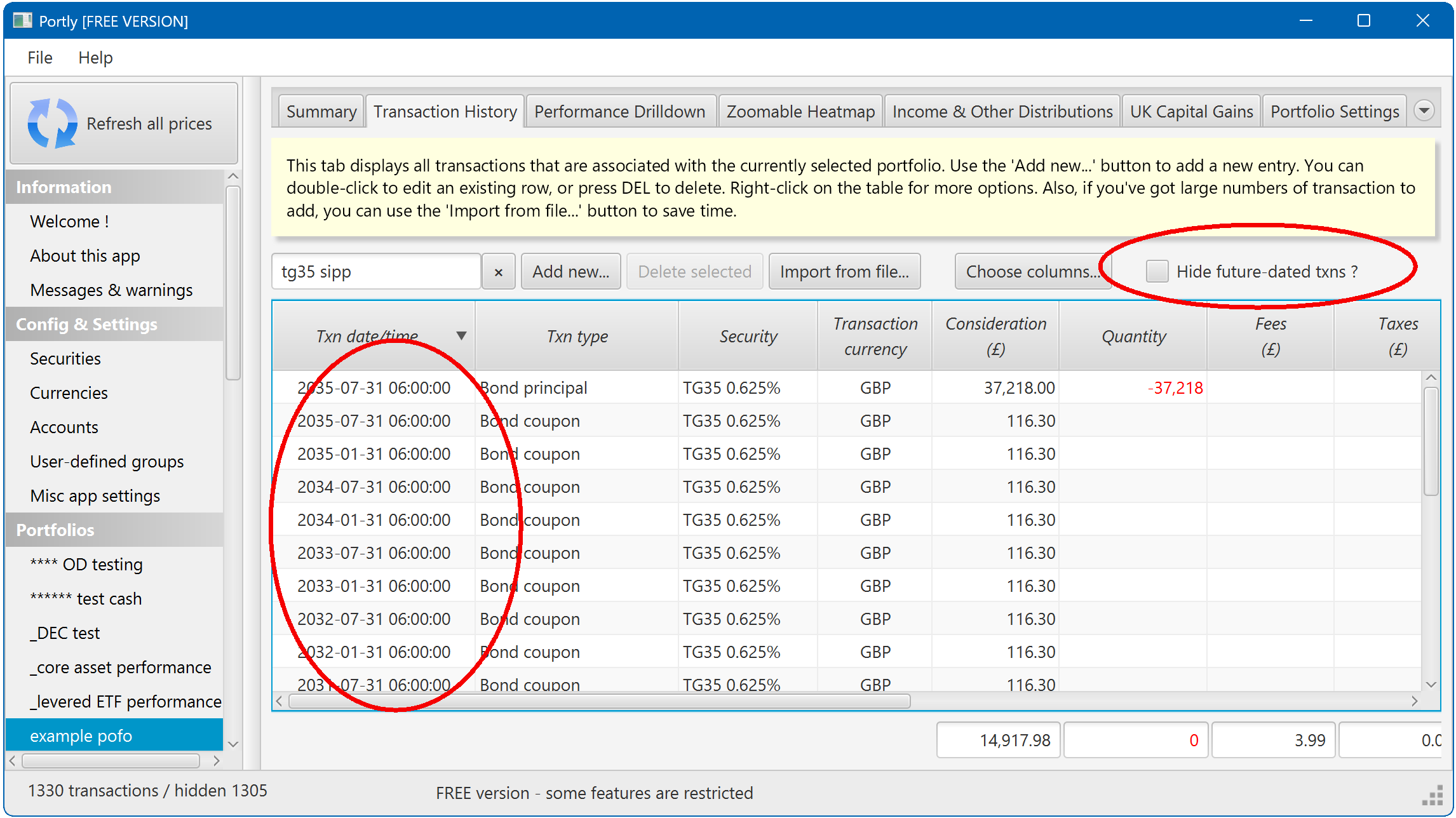
After hitting the OK button to save your opening buy transaction, Portly automatically creates a series of transactions representing the coupon repayments and eventual principal repayment. You won't see these transactions by default, because future-dated transactions are hidden to reduce clutter. You'll first need to un-check this box :
A note about tax
Interest from your Gilt holdings will automatically feed through into Portly's Income Report where it will appear as 'Bond Interest' and (for UK users) 'HMRC SA Gilt Interest'.
In the UK, Gilts are exempt from capital gains tax, so Portly's CGT calculator ignores them.
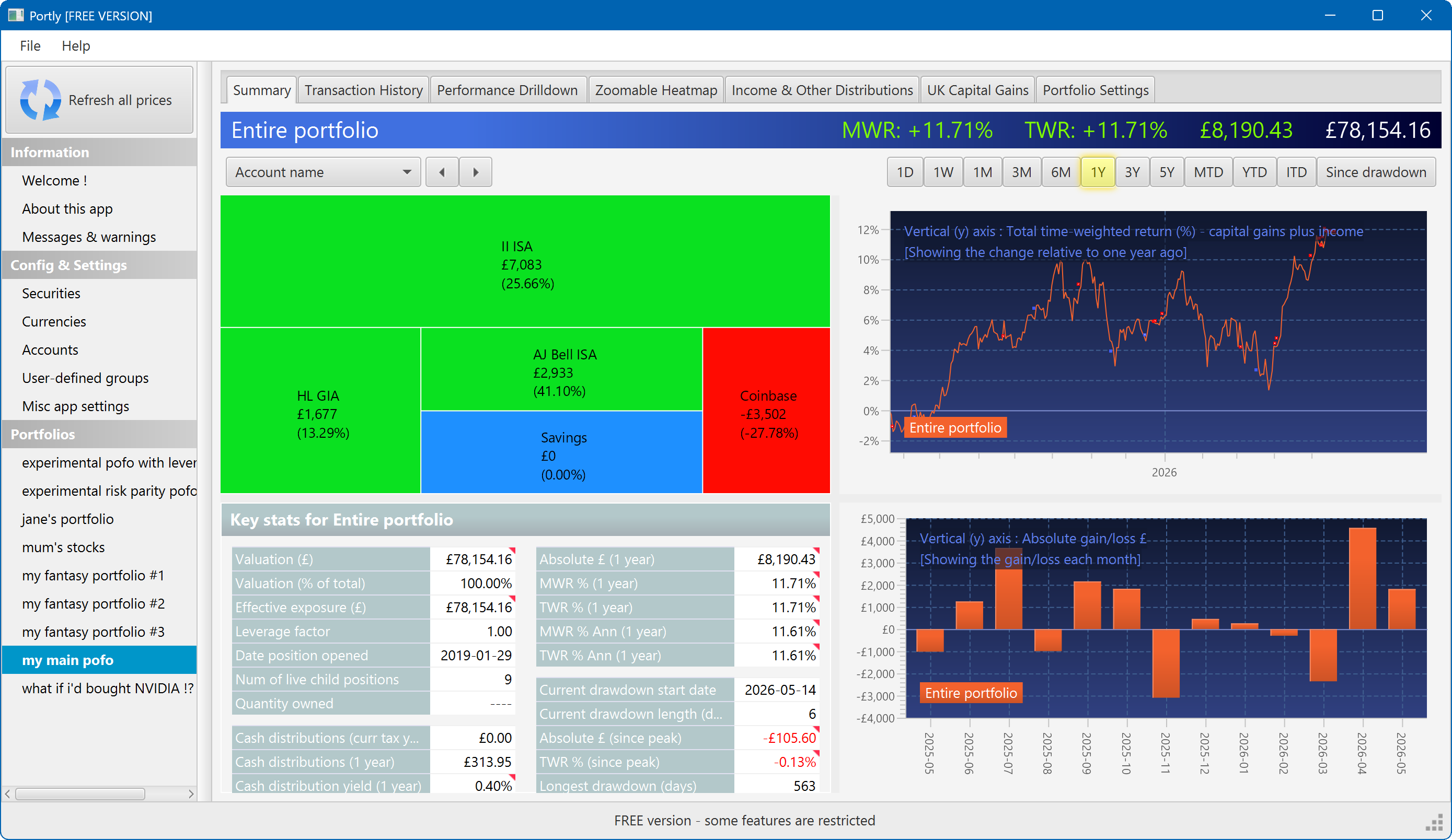
The summary screen gives an at-a-glance overview of your portfolio's performance. To read more about it, click here
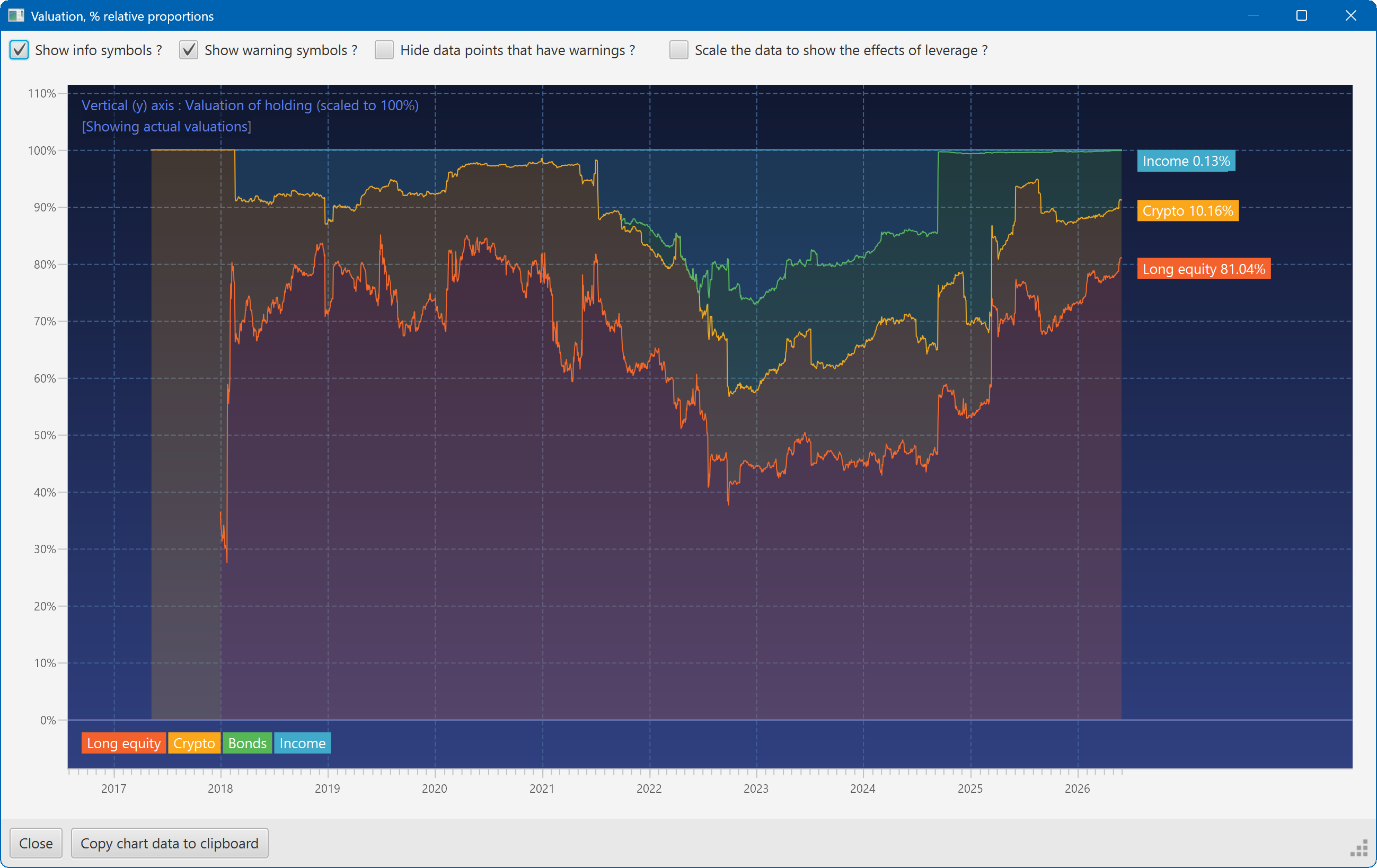
This plot shows the changing composition of a portfolio over time. It uses user-defined groups to organise the assets into different classes.
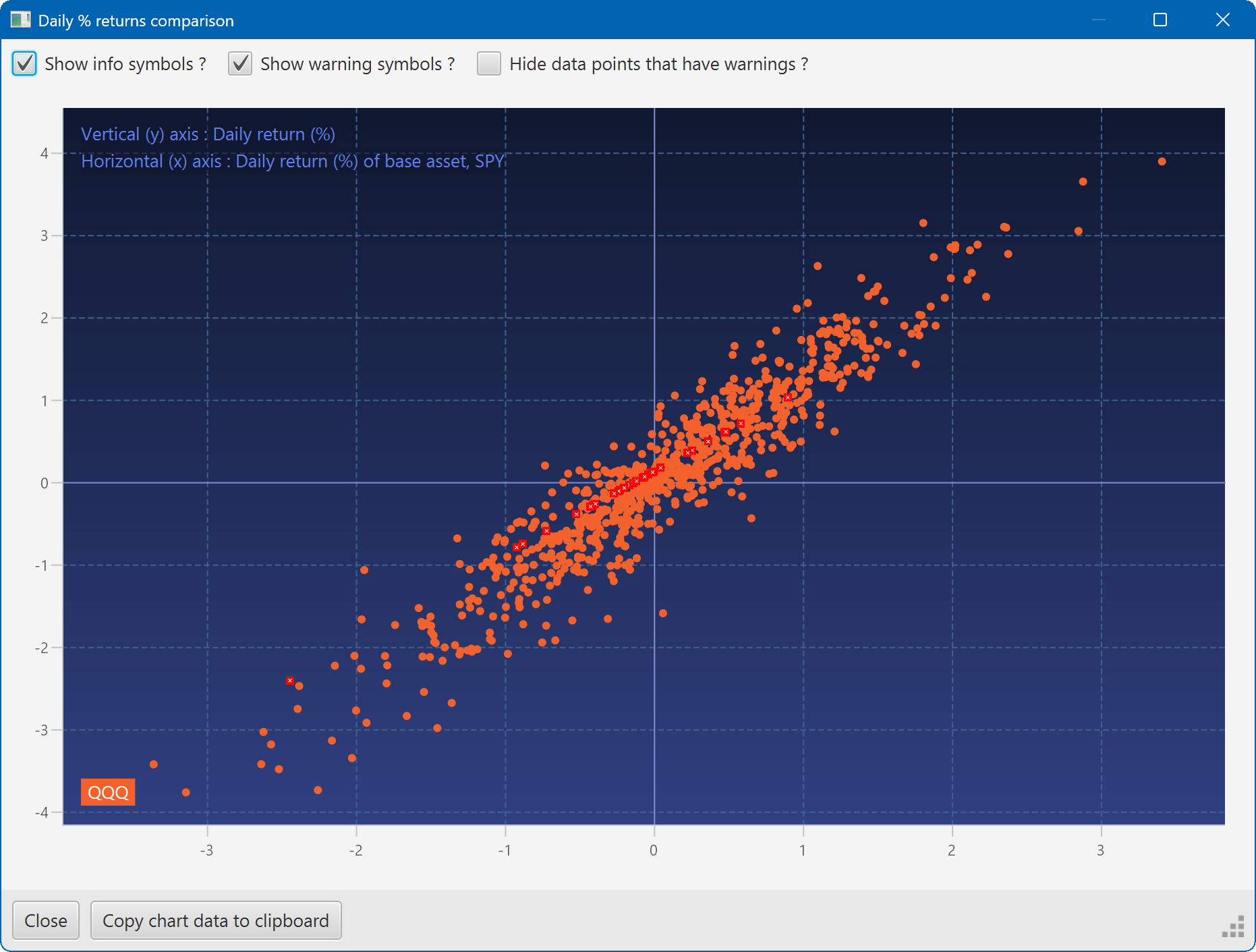
A scatter plot, showing how the daily moves of one security (QQQ) relate to the daily moves of another (SPY)
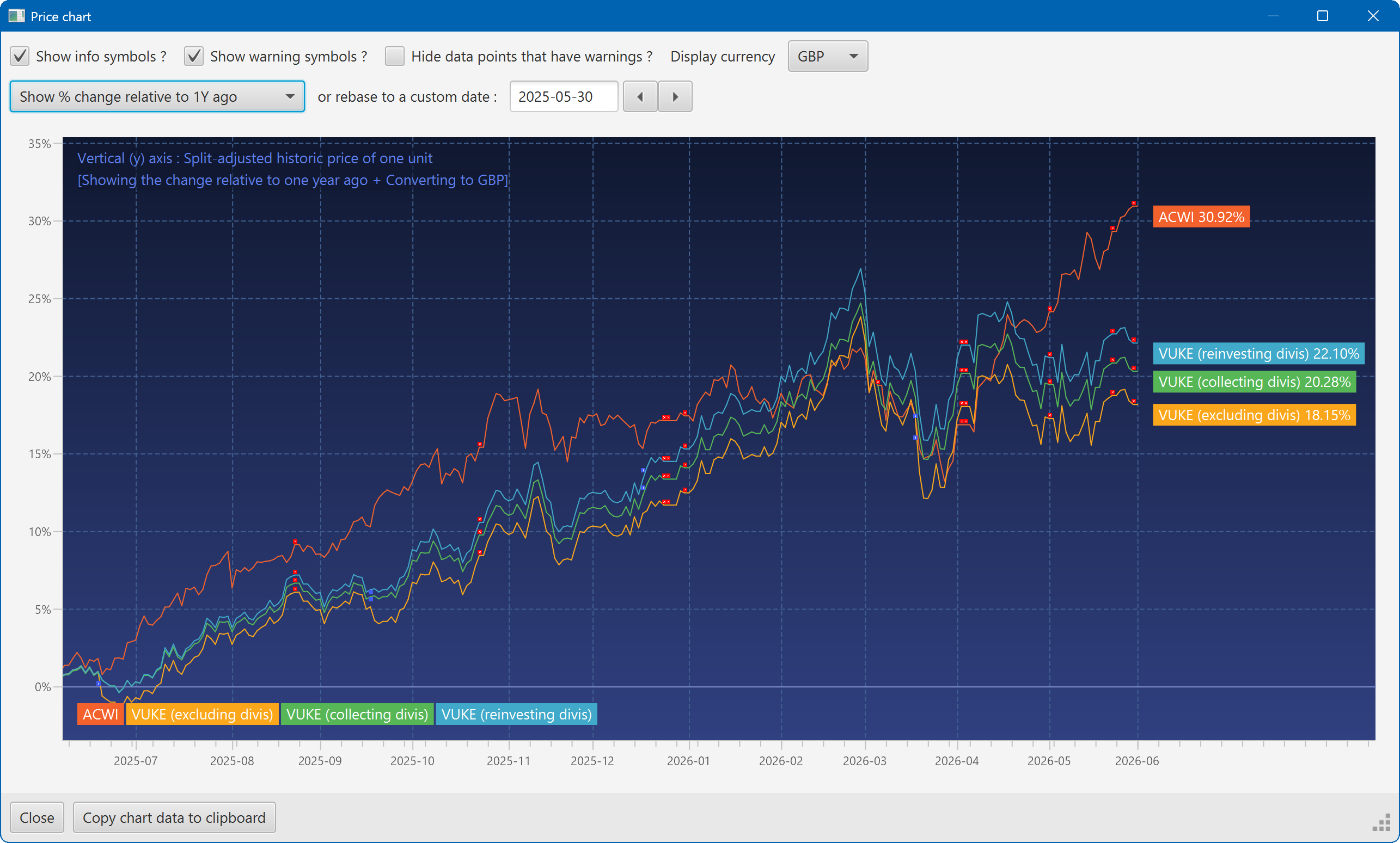
A chart showing the growth of two securities over the past year
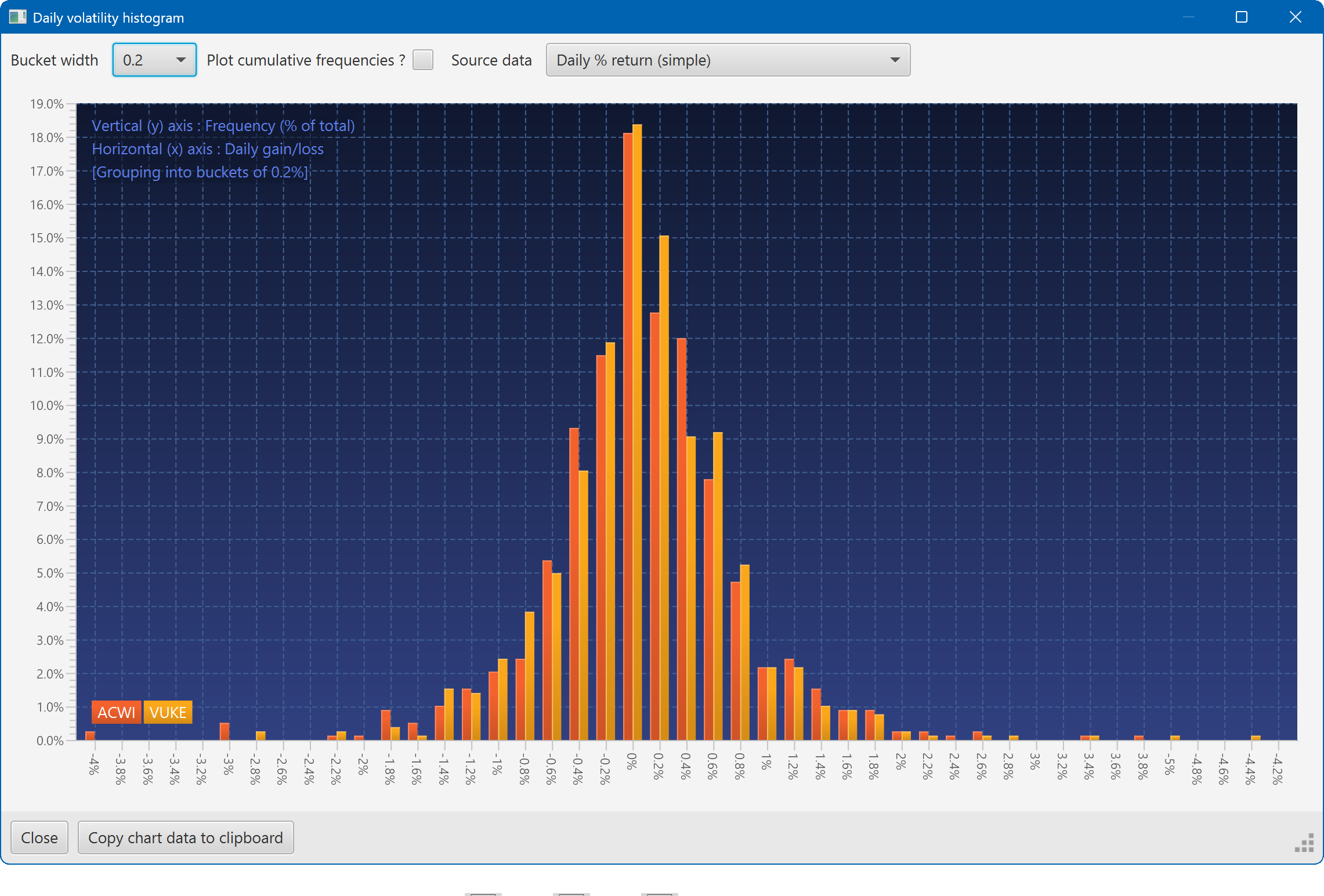
A histogram showing the daily returns of two securities, overlaid
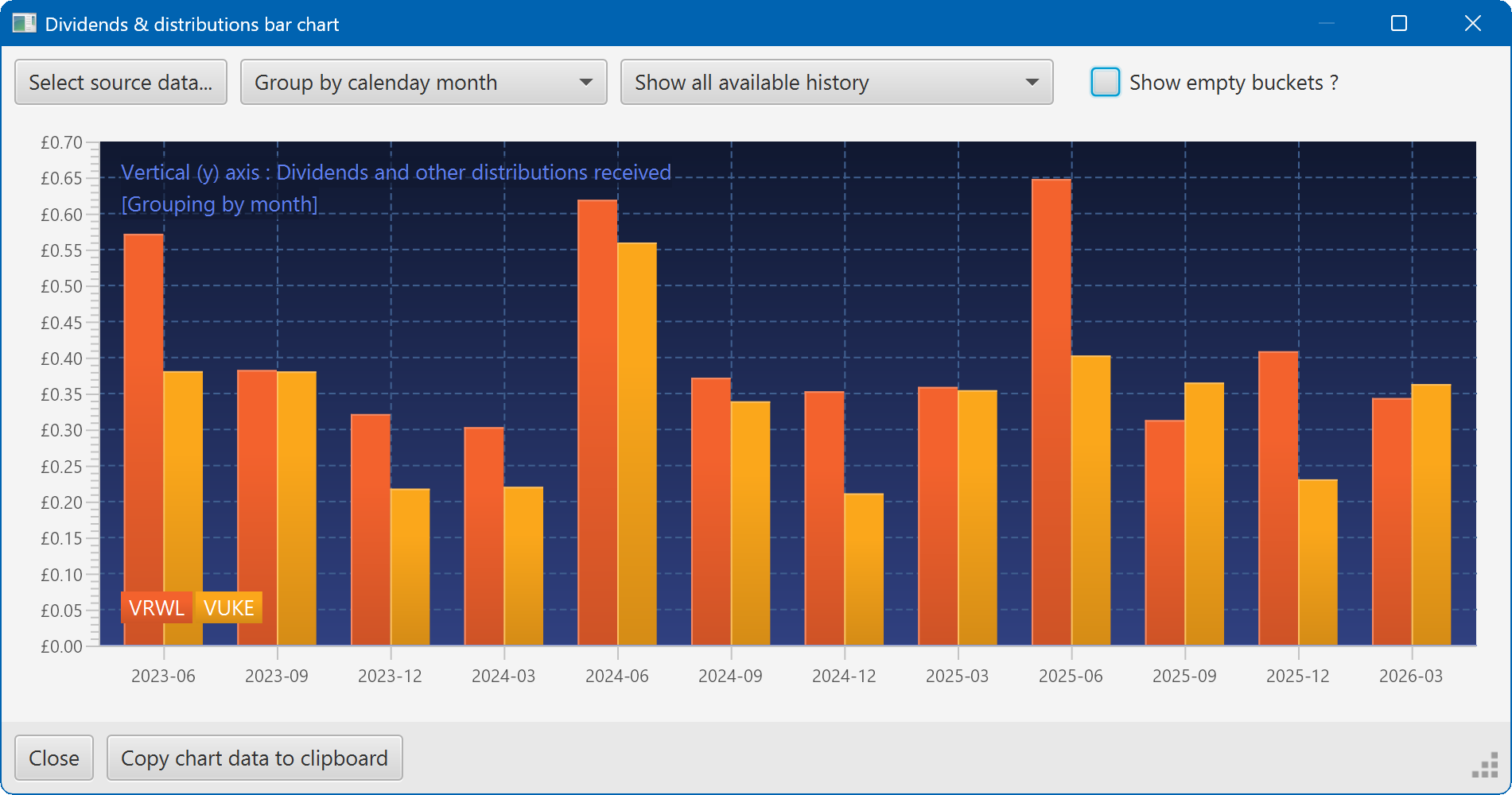
A bar chart showing the dividend history of two securities