 Multi-currency support
Leveraged ETFs
Cryptocurrencies
UK Gilts
UK CGT reporting
Equalisation payments
List of shortcut keys
Multi-currency support
Leveraged ETFs
Cryptocurrencies
UK Gilts
UK CGT reporting
Equalisation payments
List of shortcut keys
 Notes on data storage

Portly was hand-written by humans (me, specifically) with minimal AI input. For the moment, at least, I believe that nothing beats good old-fashioned human craftsmanship !

How Portly stores your data
When you start Portly for the first time, it will create a data directory that contains the following files :
| main.db | The Sqlite database that will be used to store all your private transaction data. This file is managed by Portly and should not be deleted or modified directly |
| user.css | A CSS stylesheet that controls the visual appearance of Portly. You can edit this file in any text editor to completely change Portly's appearance |
On Windows, the default location for the data folder is C:/Users/{your name}/AppData/Roaming/Portly. You can override the default by passing an alternative folder name on the command-line when you start Portly (e.g. on Windows, just create a .bat file that runs 'Portly.exe C:/store/my_alternative_data_directory' or similar)
Note that Portly never sends your private data to the cloud. All data that you enter remains on your local device, forever.
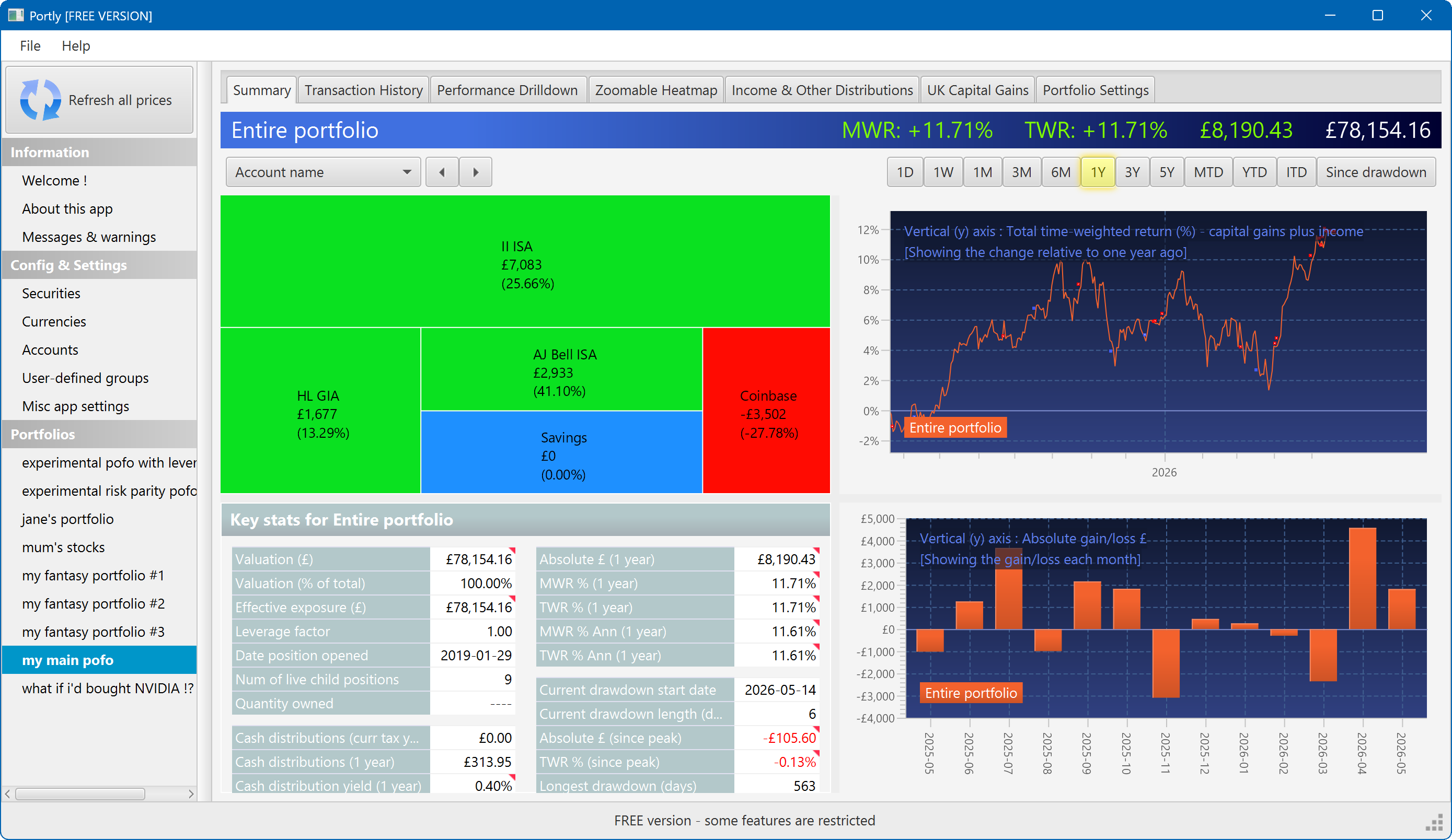
The summary screen gives an at-a-glance overview of your portfolio's performance. To read more about it, click here
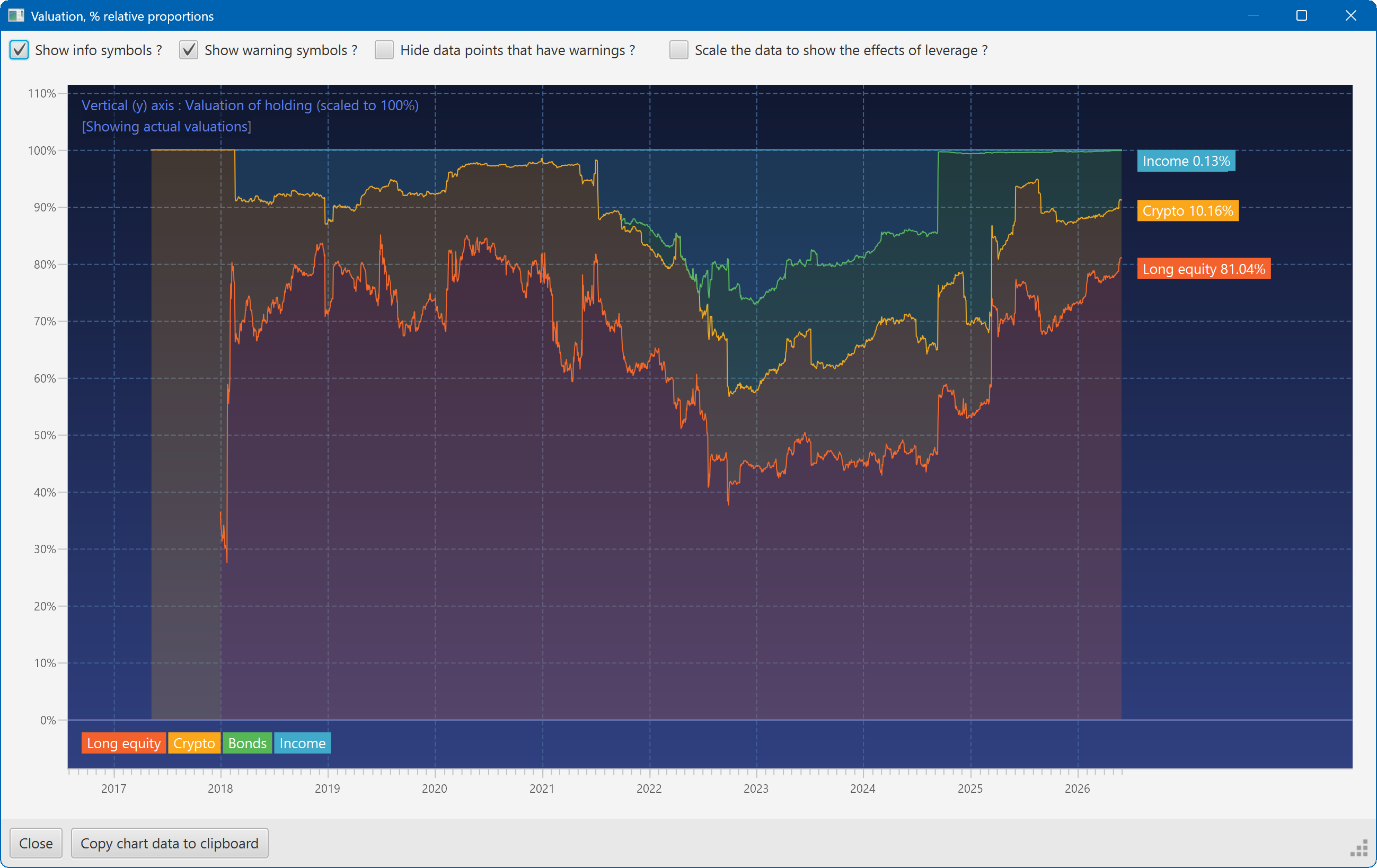
This plot shows the changing composition of a portfolio over time. It uses user-defined groups to organise the assets into different classes.
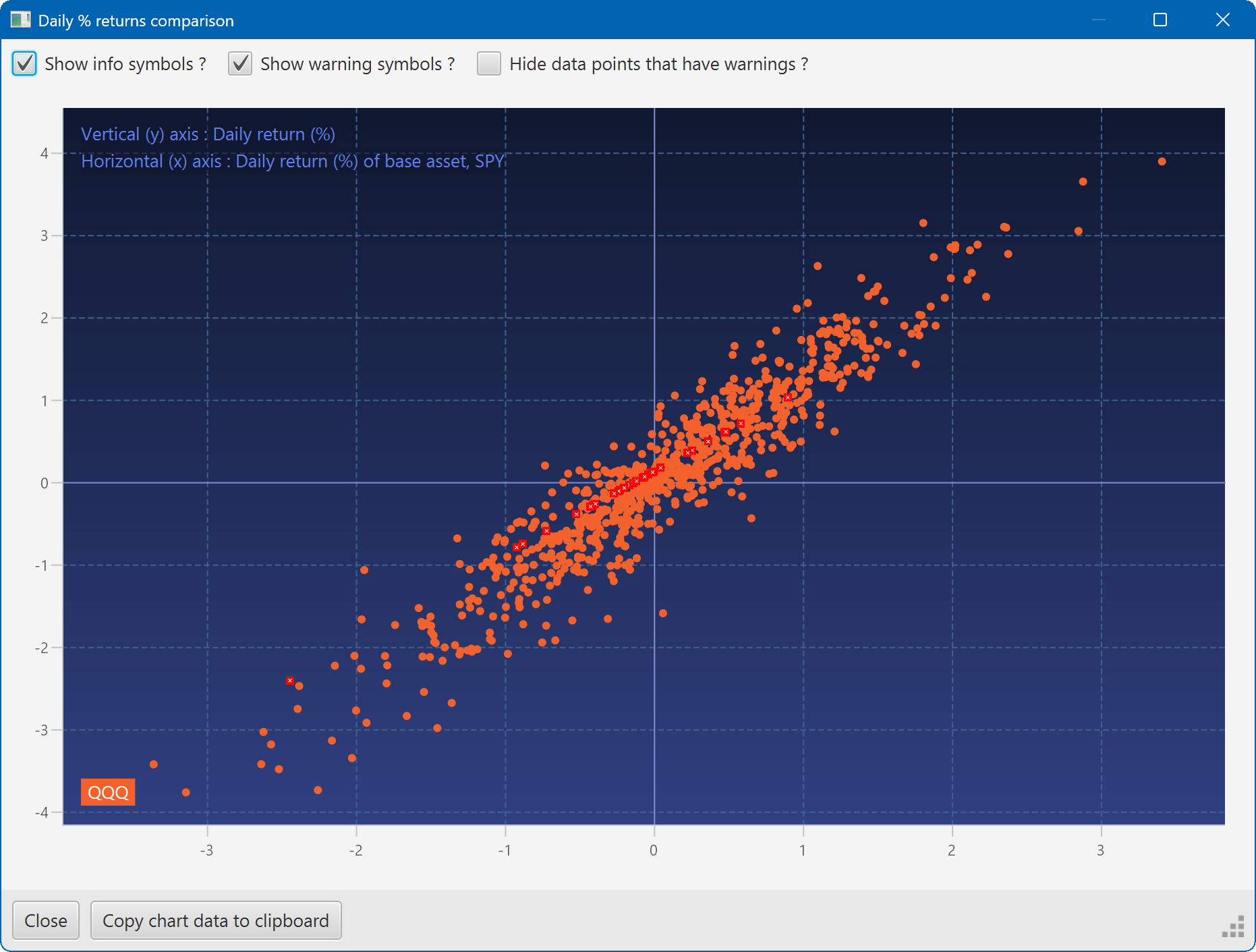
A scatter plot, showing how the daily moves of one security (QQQ) relate to the daily moves of another (SPY)
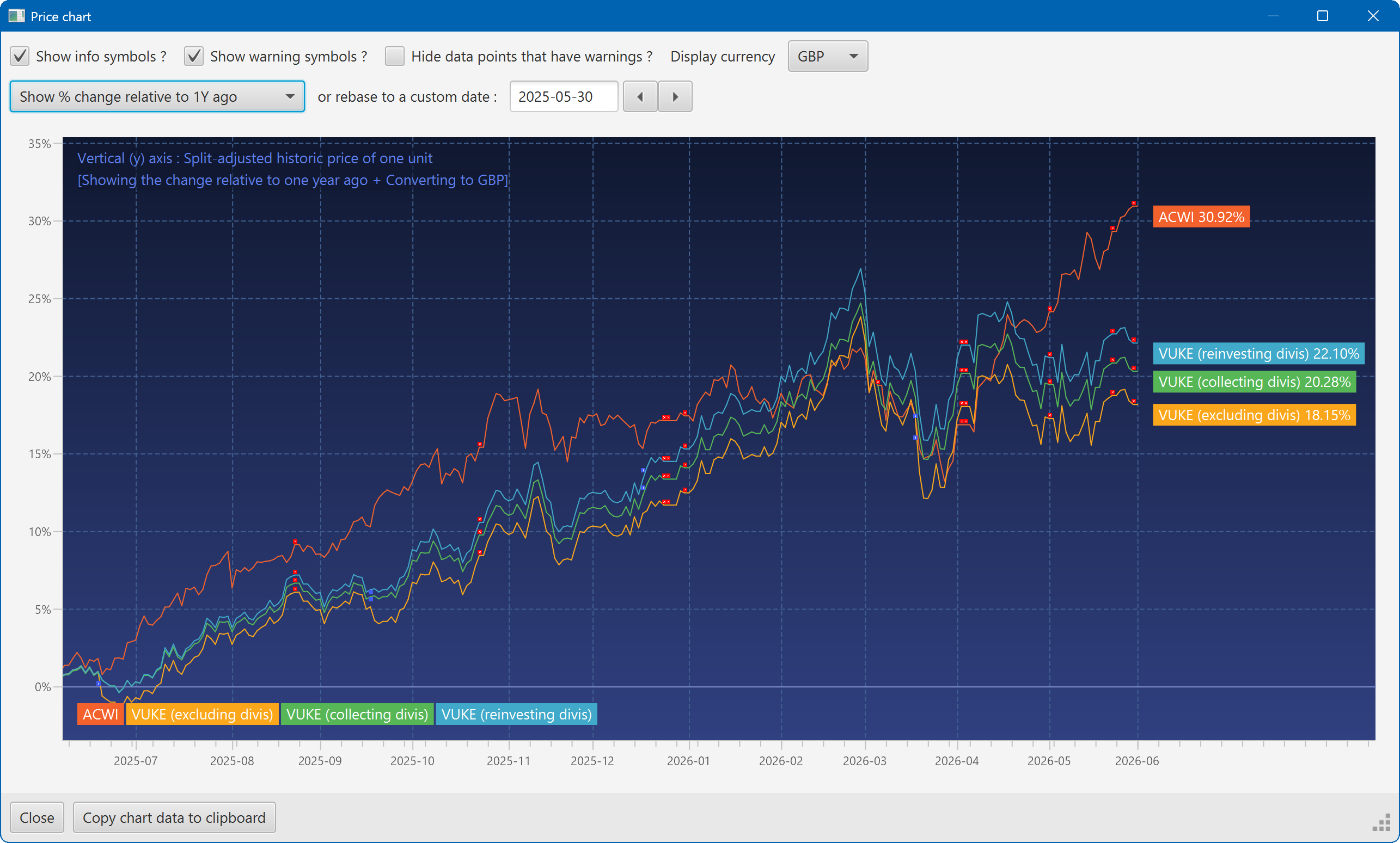
A chart showing the growth of two securities over the past year
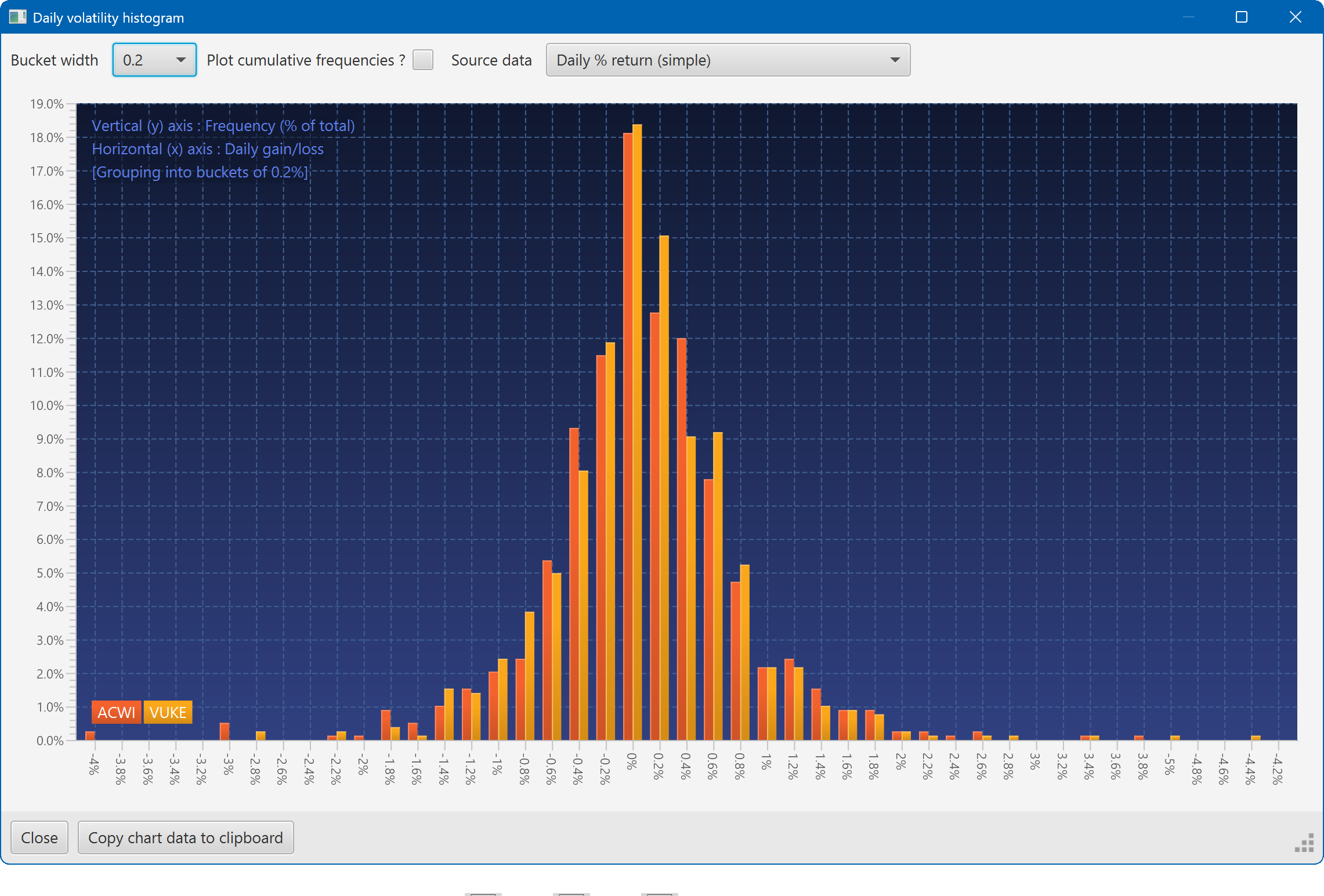
A histogram showing the daily returns of two securities, overlaid
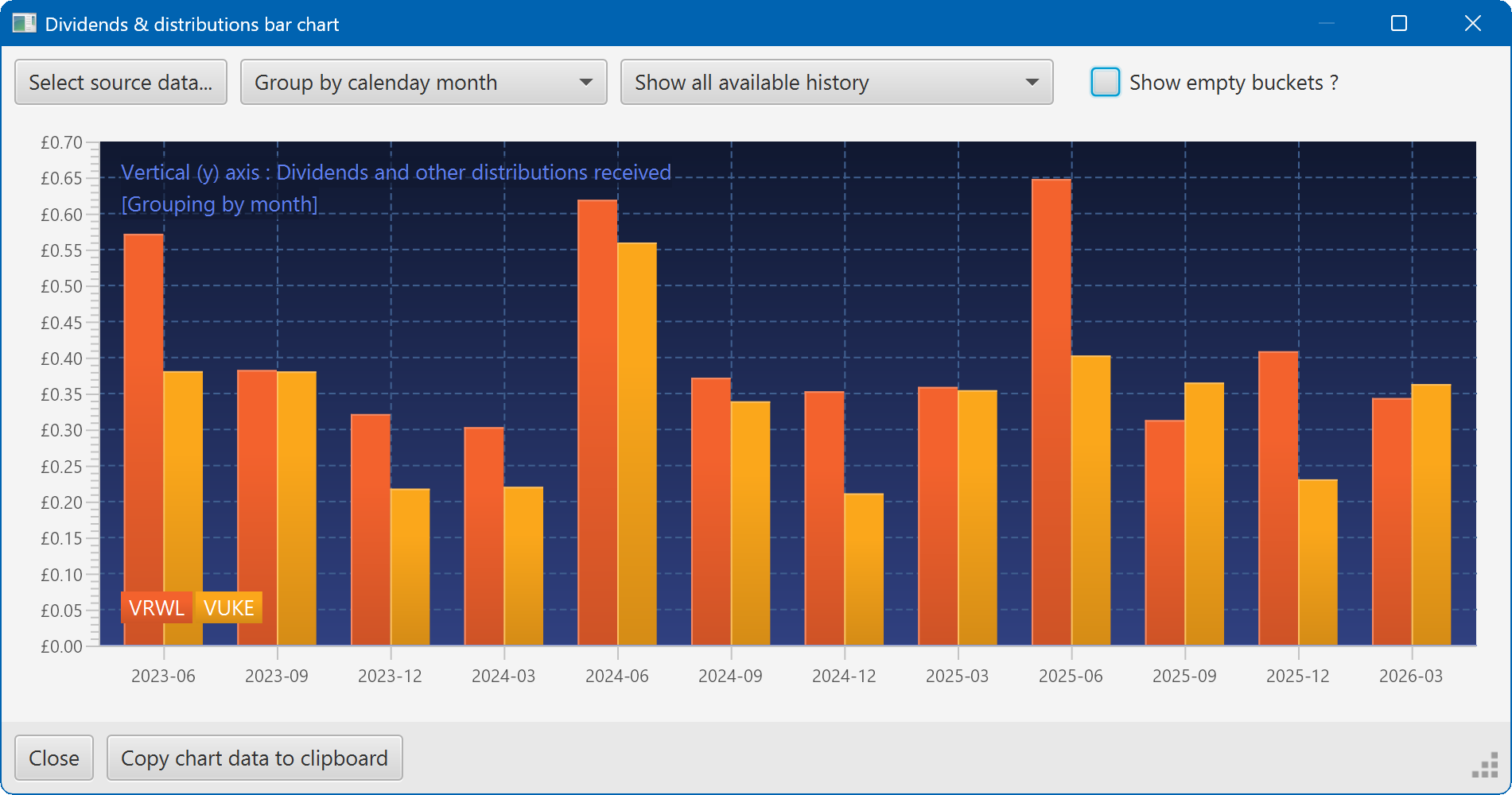
A bar chart showing the dividend history of two securities