 Multi-currency support
Leveraged ETFs
Cryptocurrencies
UK Gilts
UK CGT reporting
Multi-currency support
Leveraged ETFs
Cryptocurrencies
UK Gilts
UK CGT reporting
 Equalisation payments
List of shortcut keys
Notes on data storage
Equalisation payments
List of shortcut keys
Notes on data storage

Portly was hand-written by humans (me, specifically) with minimal AI input. For the moment, at least, I believe that nothing beats good old-fashioned human craftsmanship !

Support for equalisation adjustments in Portly
Equalisation is a rather complicated topic. Briefly, it's a way of tweaking the tax treatment of dividend income paid by a fund, to reclassify it from income to capital. The good news is that equalisation is only relevant for investments held in GIA (taxable accounts). ISA and SIPP investors can ignore this topic entirely.
At the time I write this (May 2026), Portly has basic support for equalisation. It can't do all the work for you, but it should remove at least some of the pain. This is an area of the app that I'd like to improve, over time.
The first job is to work out how much equalisation you received. Some brokers include this info on the dividend voucher, but more than likely you'll need to do the calculation manually. This involves first looking up the fund's 'reporting period'. You then need to work out how many new units of the fund you purchased during that period. Finally, you multiply that quantity by the 'equalisation per share' that you can find on the fund provider's tax report. The calculation itself is pretty straightforward, but finding the relevant info can be a bit of a pain.
Having worked out the total equalisation figure, you can then enter a transaction to capture the amount. Switch to the transaction tab, click 'Add new...' and then open the 'Tax adjustments' menu item :
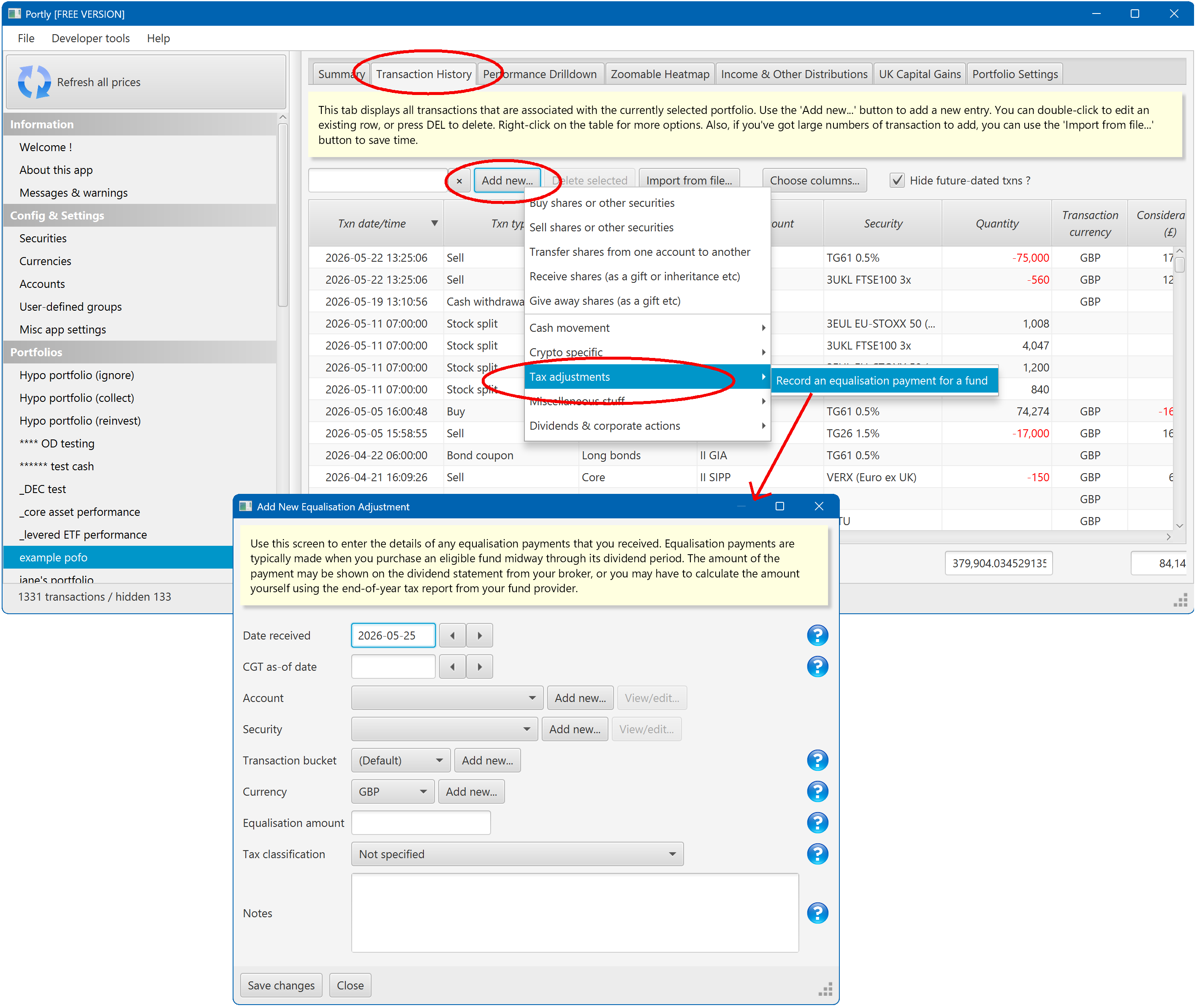
Note that "Date received" should be set to the date of the associated dividend payment. This is critical. Equalisation has the effect of reducing the income portion of the dividend you received, and it's important that both transactions fall on the same date so that they offset correctly.
Also note that you need to specify the 'tax classification' of the equalisation payment. This should always match the tax classification of the associated dividend. Again, it's important to get this right so that the two amounts offset correctly.
Once you've entered the equalisation amount, you can check the results over on the Income Report. You should see something like this :
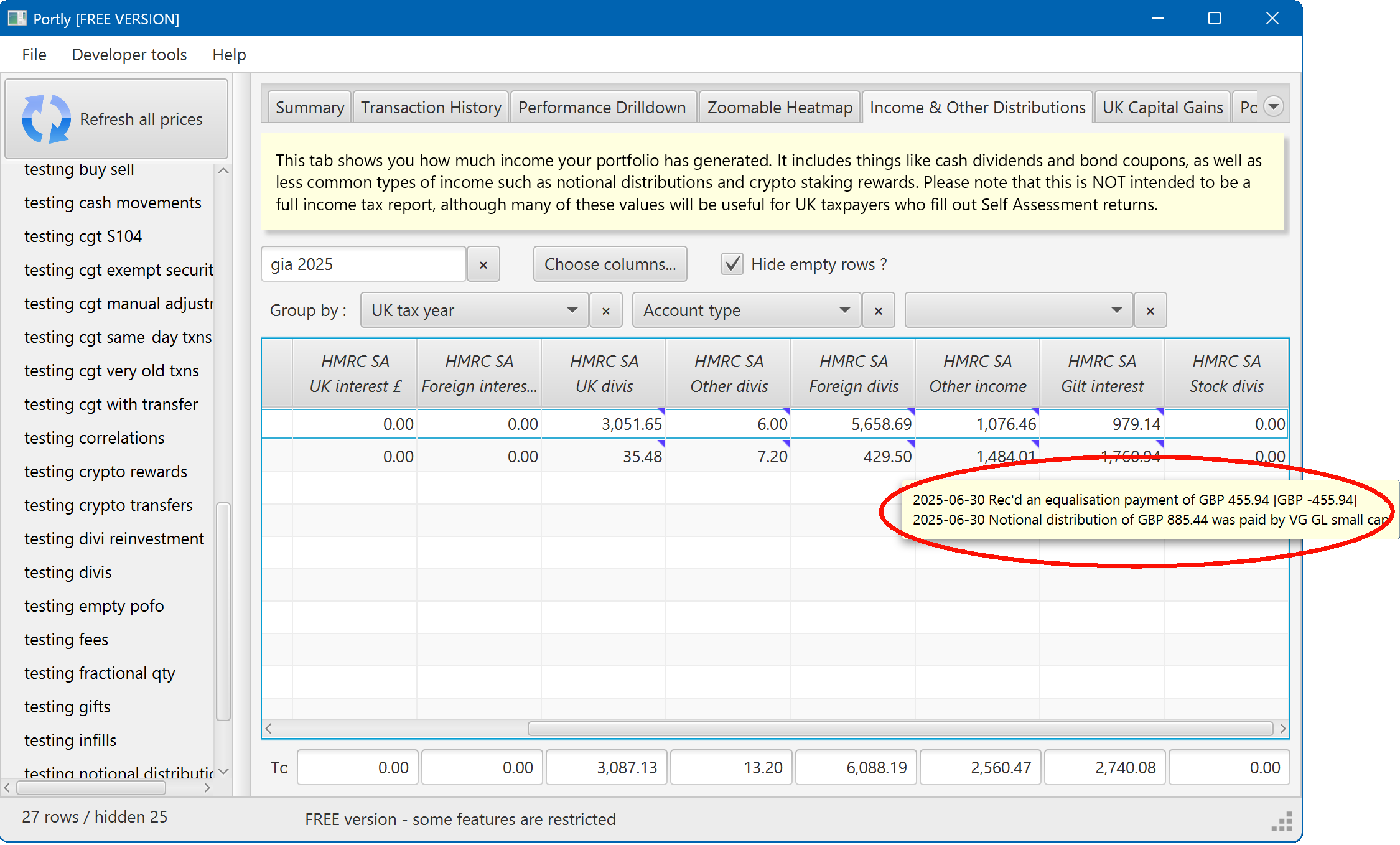
There's one other consideration : capital gains tax. The effect of equalisation is to reduce your income tax, in return for increasing your capital gains tax by the same amount. This is achieved by simply reducing the 'base cost' of the shares you purchased. Portly takes care of this calculation automatically. After entering an equalisation adjustment, you will typically see a small increase in your CGT liability (for more info on CGT reporting in Portly, see this page).
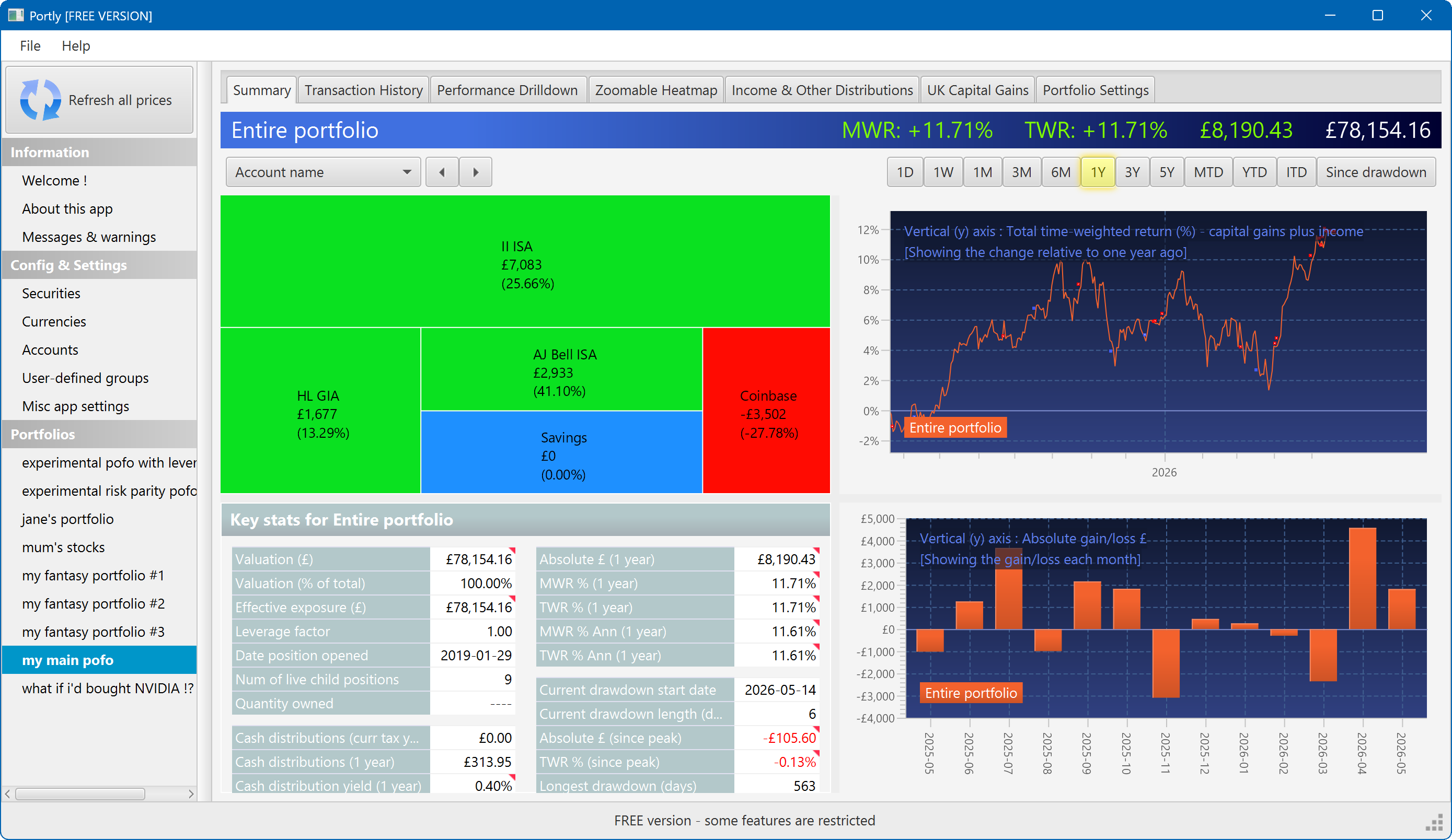
The summary screen gives an at-a-glance overview of your portfolio's performance. To read more about it, click here
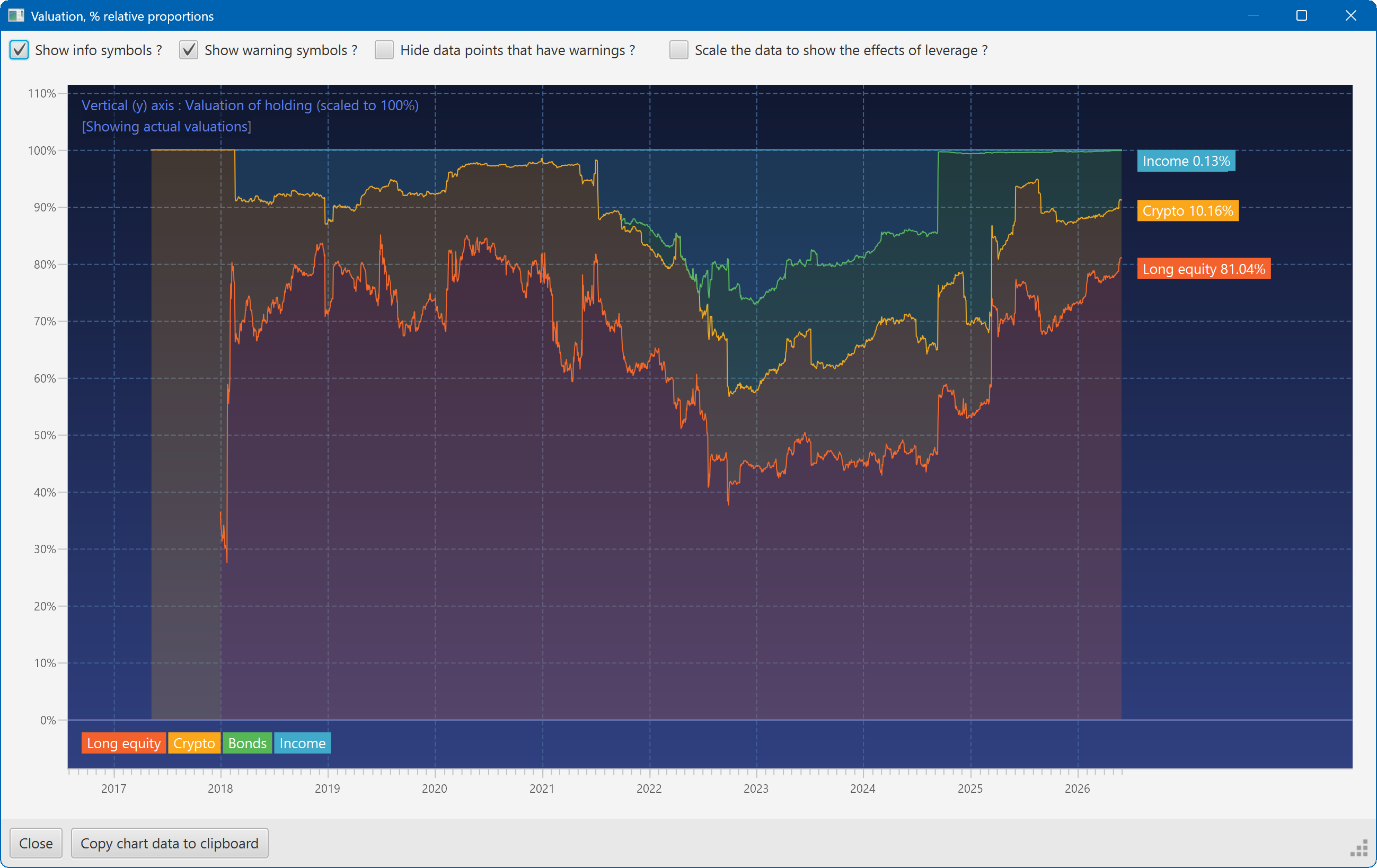
This plot shows the changing composition of a portfolio over time. It uses user-defined groups to organise the assets into different classes.
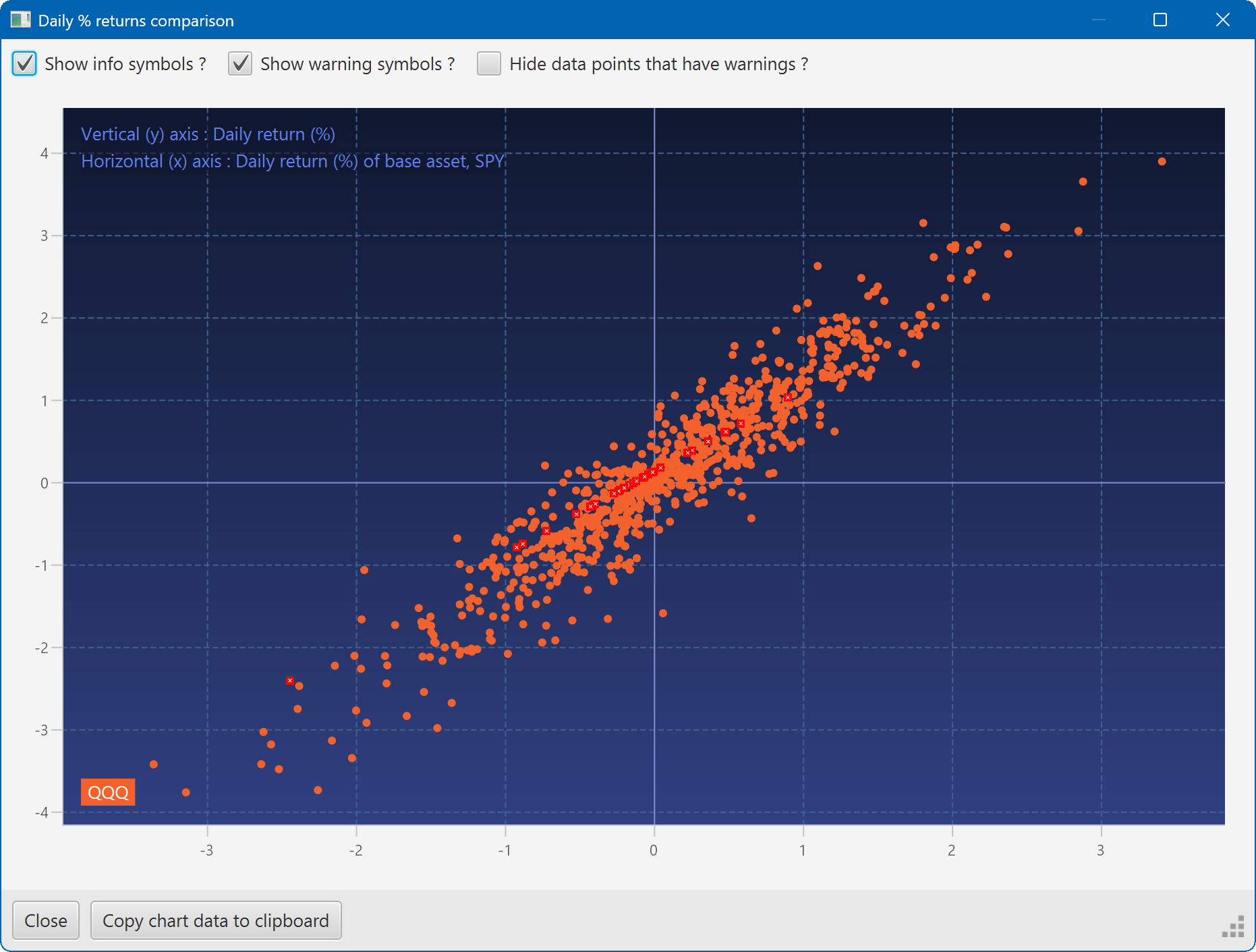
A scatter plot, showing how the daily moves of one security (QQQ) relate to the daily moves of another (SPY)
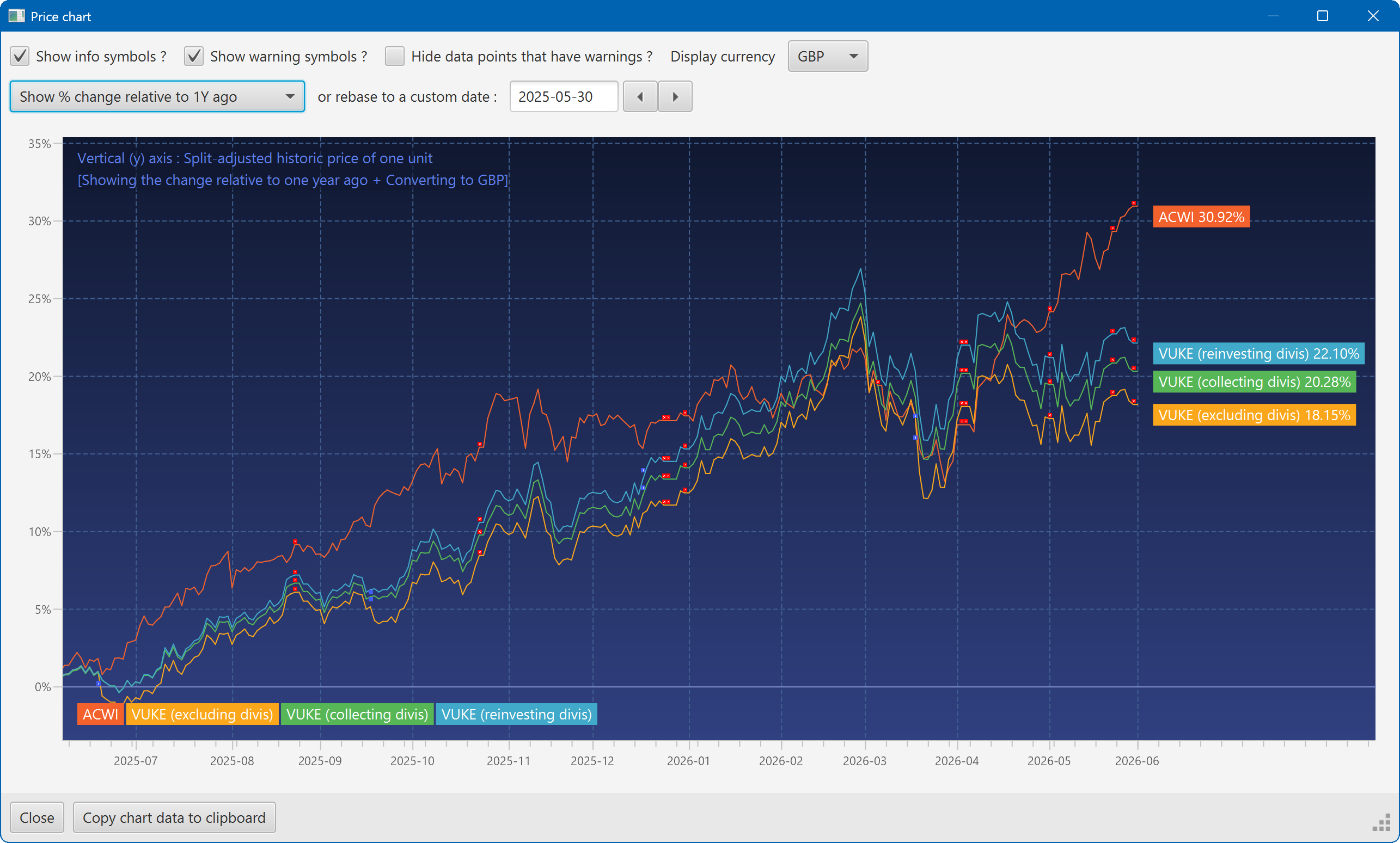
A chart showing the growth of two securities over the past year
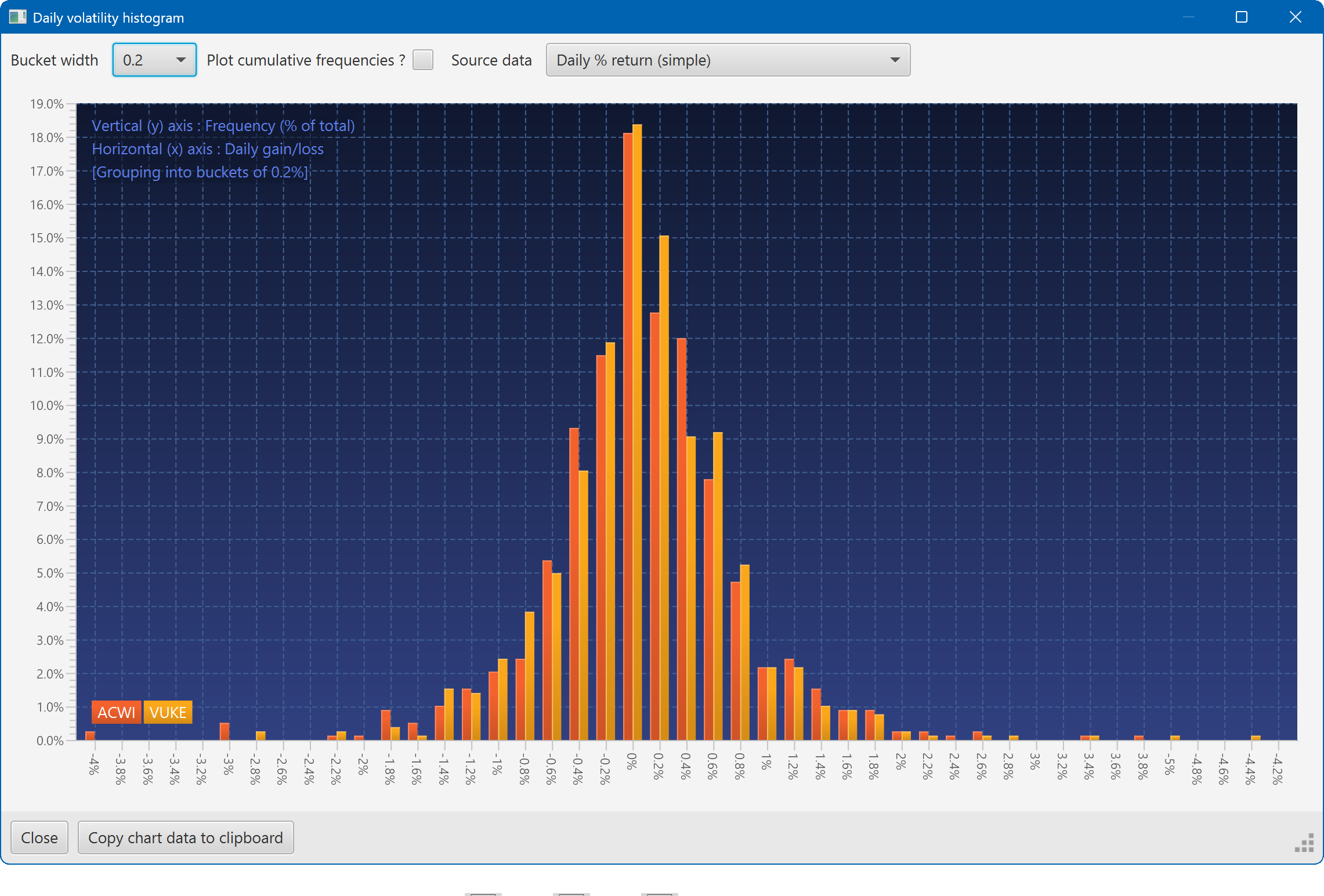
A histogram showing the daily returns of two securities, overlaid
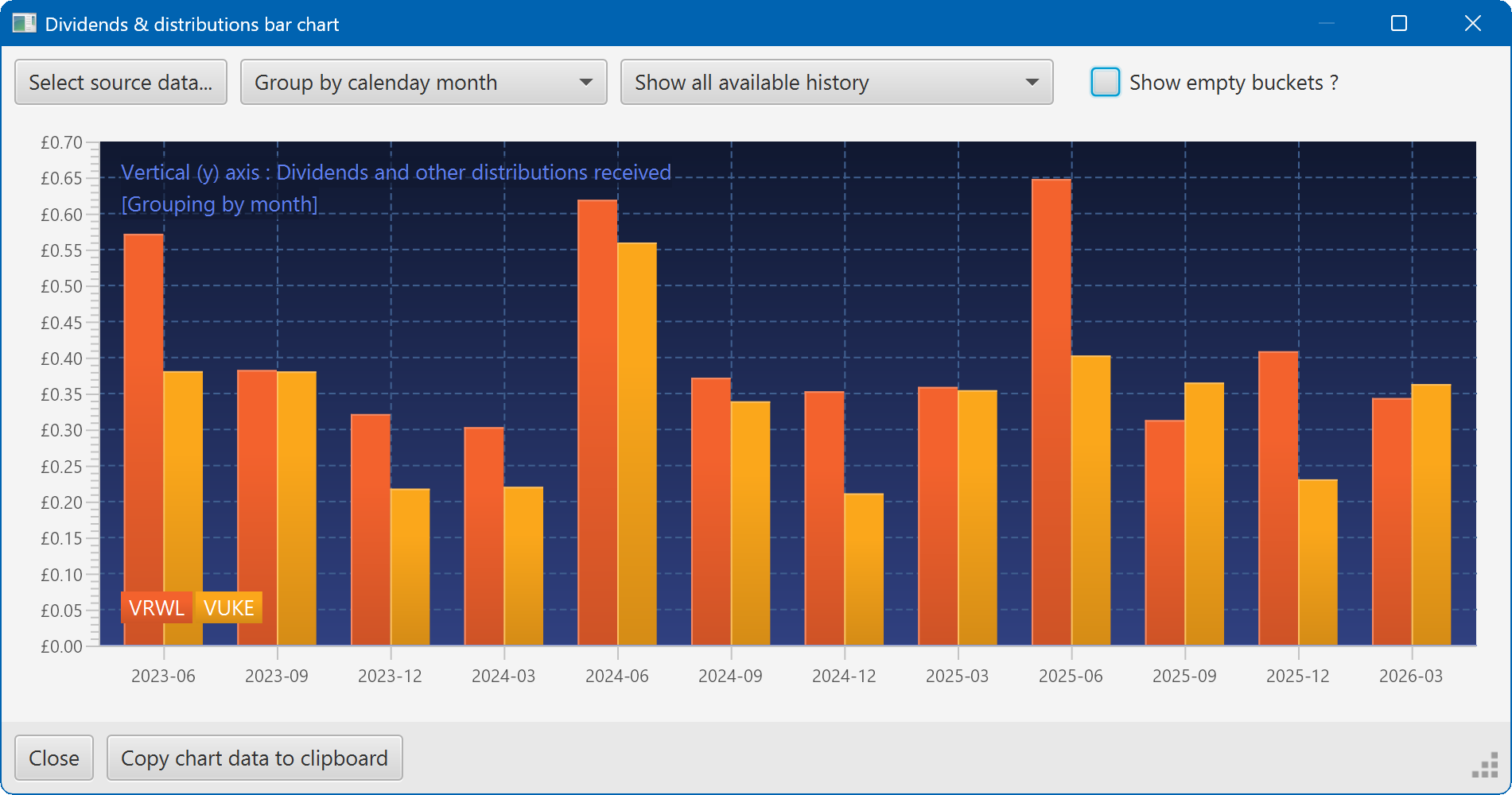
A bar chart showing the dividend history of two securities