
 Multi-currency support
Leveraged ETFs
Cryptocurrencies
UK Gilts
UK CGT reporting
Equalisation payments
List of shortcut keys
Notes on data storage
Multi-currency support
Leveraged ETFs
Cryptocurrencies
UK Gilts
UK CGT reporting
Equalisation payments
List of shortcut keys
Notes on data storage

Portly was hand-written by humans (me, specifically) with minimal AI input. For the moment, at least, I believe that nothing beats good old-fashioned human craftsmanship !

Please note : Once you've downloaded Portly, the getting started page has a short tutorial to help you find your feet.
Windows download & installation
Download Portly_v100.zip (66 Mb)
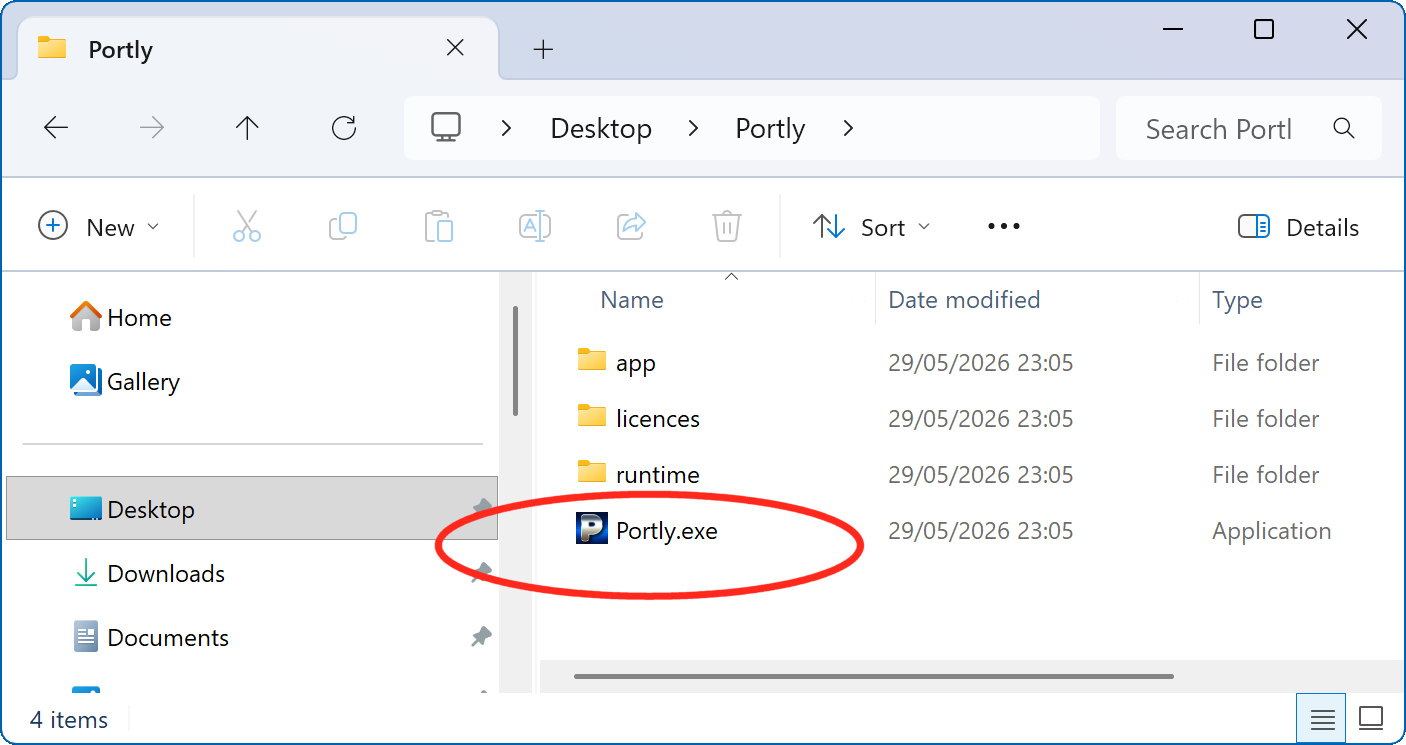
Portly is distributed as a zip file, so you'll first need to extract the contents somewhere convenient (your desktop is fine for now, you can always move the files later). When done, you'll see something like this. Just double-click the Portly.exe icon to begin.
The first time you run Portly, it will create a data directory under your Windows user folder (C:/Users/{your name}/AppData/Roaming/Portly). This is where your personal data will be stored. You can read more here.
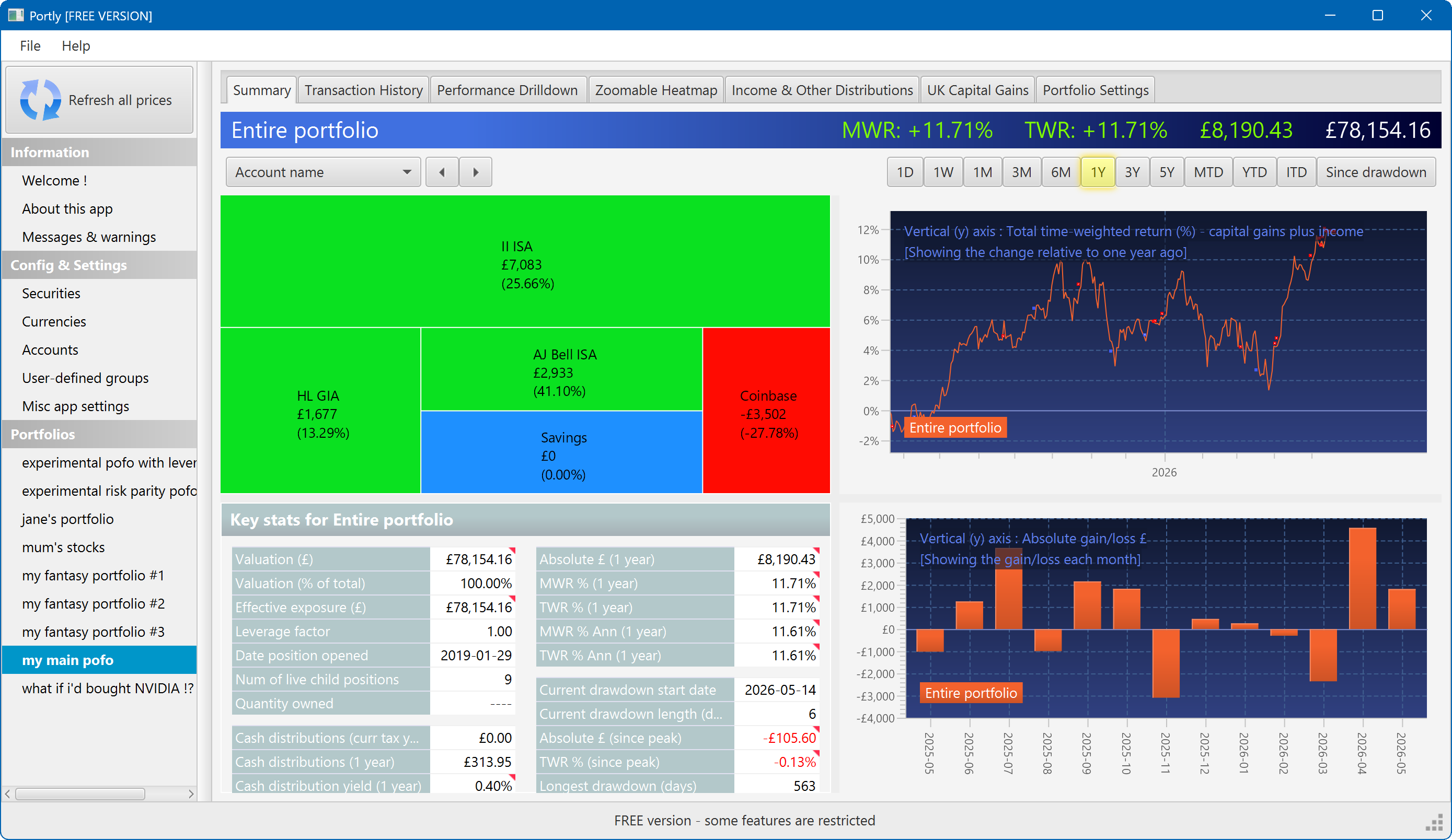
The summary screen gives an at-a-glance overview of your portfolio's performance. To read more about it, click here
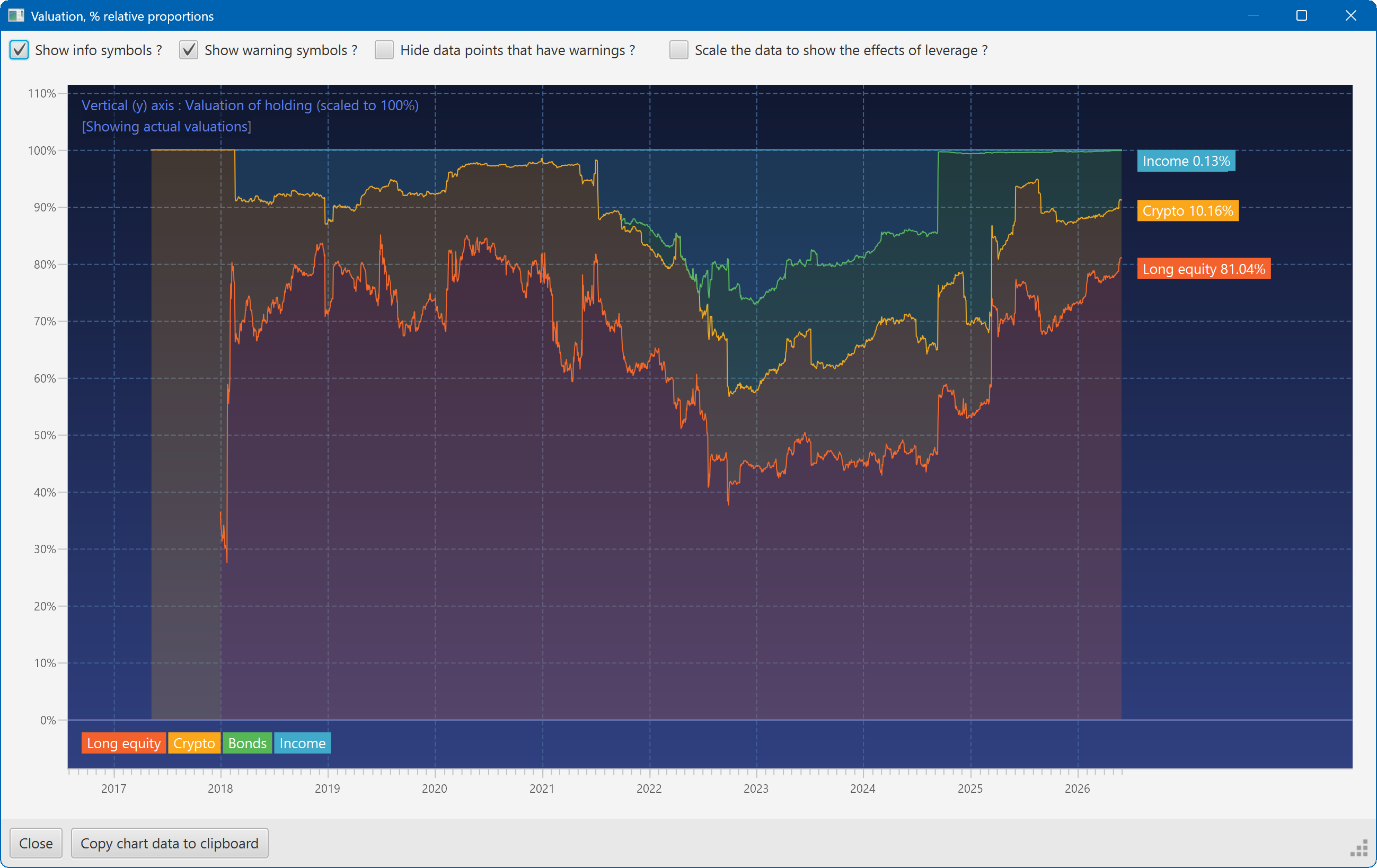
This plot shows the changing composition of a portfolio over time. It uses user-defined groups to organise the assets into different classes.
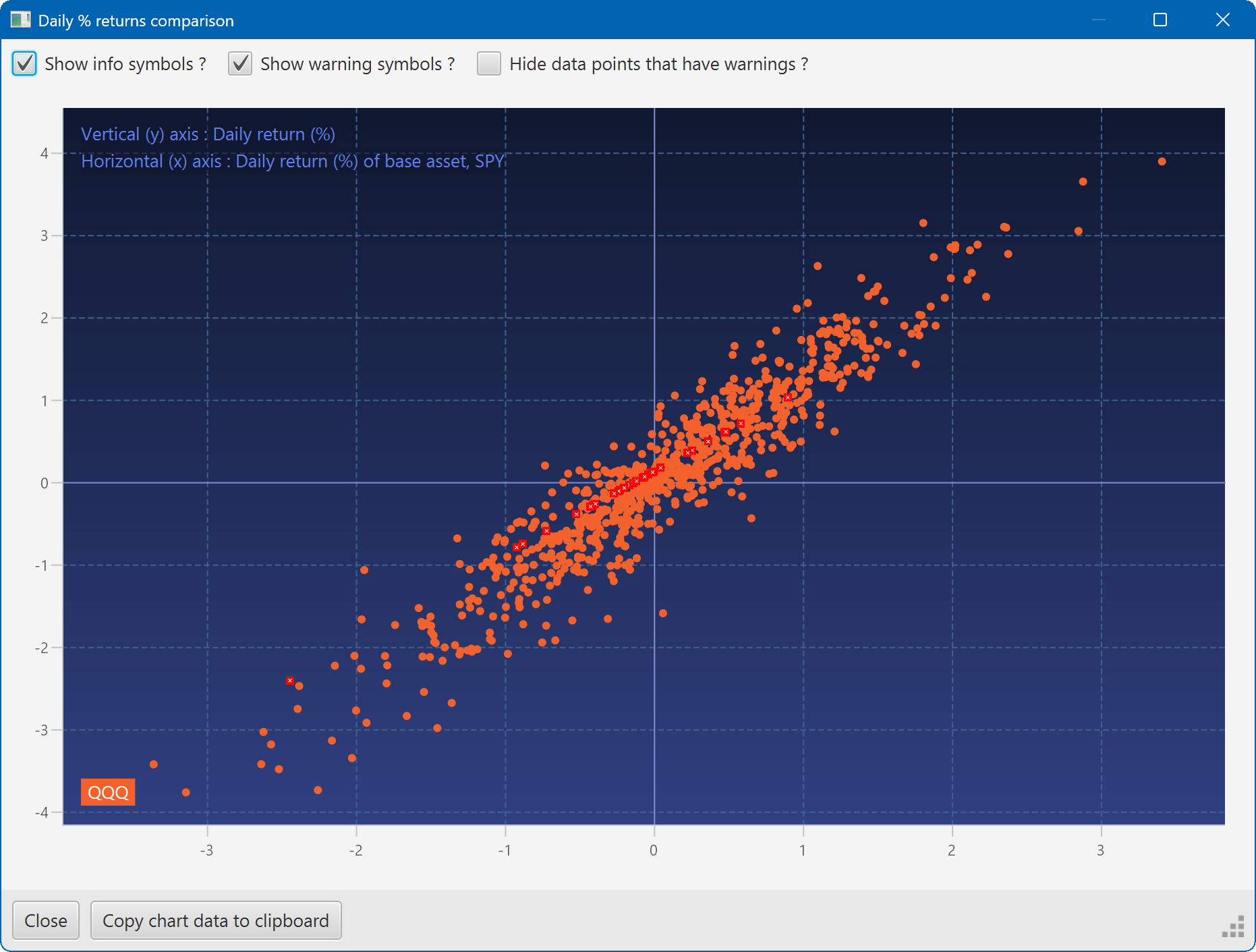
A scatter plot, showing how the daily moves of one security (QQQ) relate to the daily moves of another (SPY)
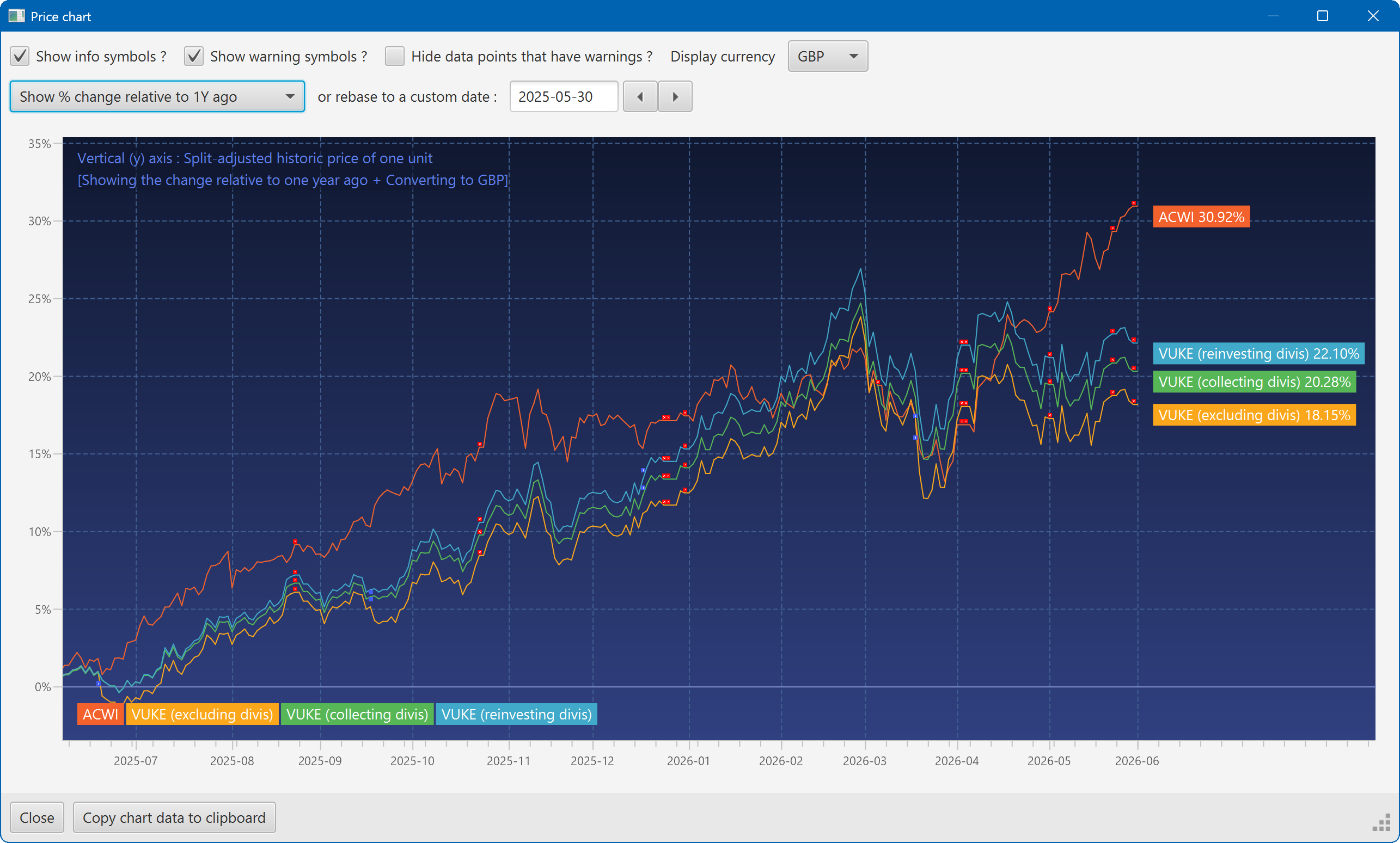
A chart showing the growth of two securities over the past year
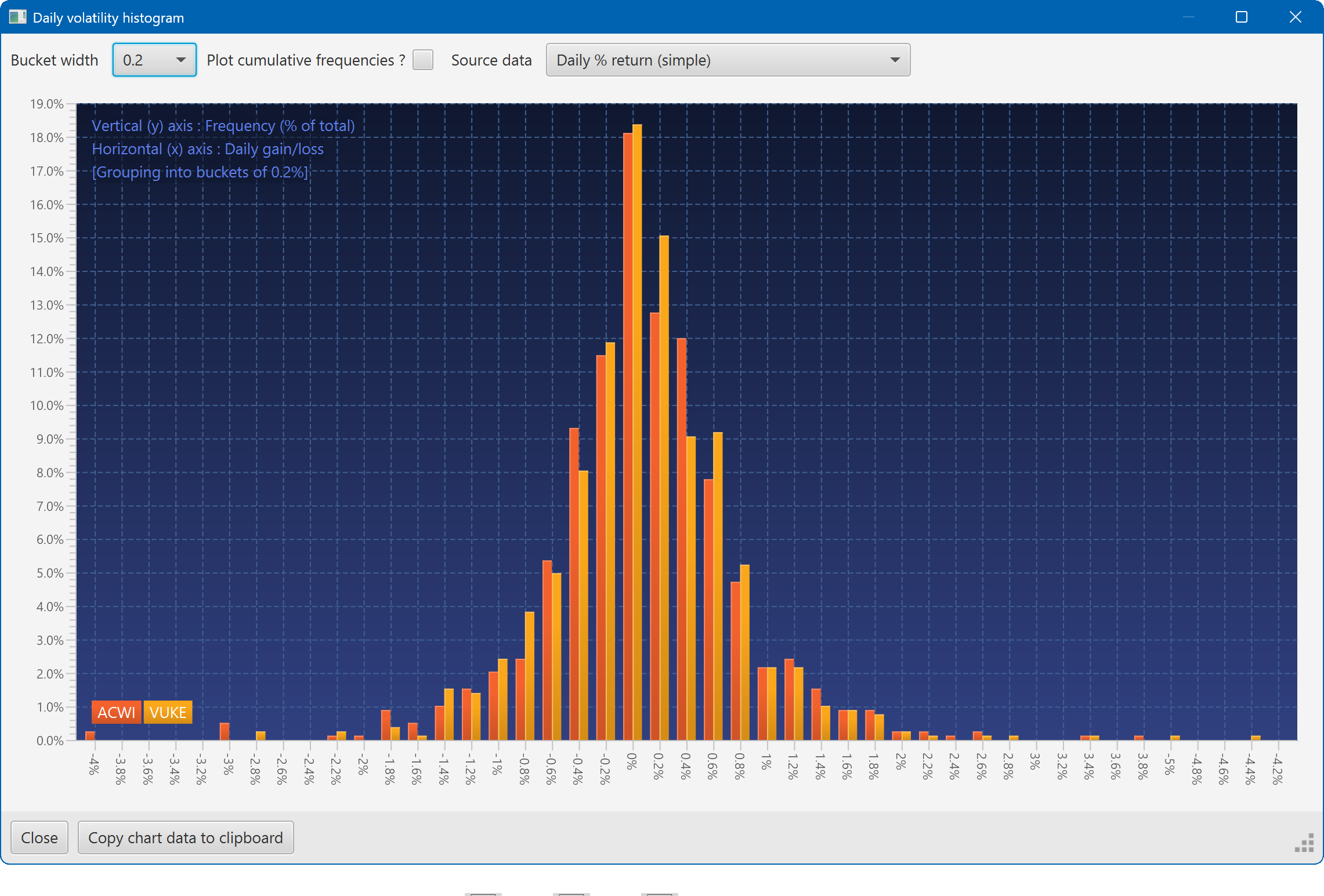
A histogram showing the daily returns of two securities, overlaid
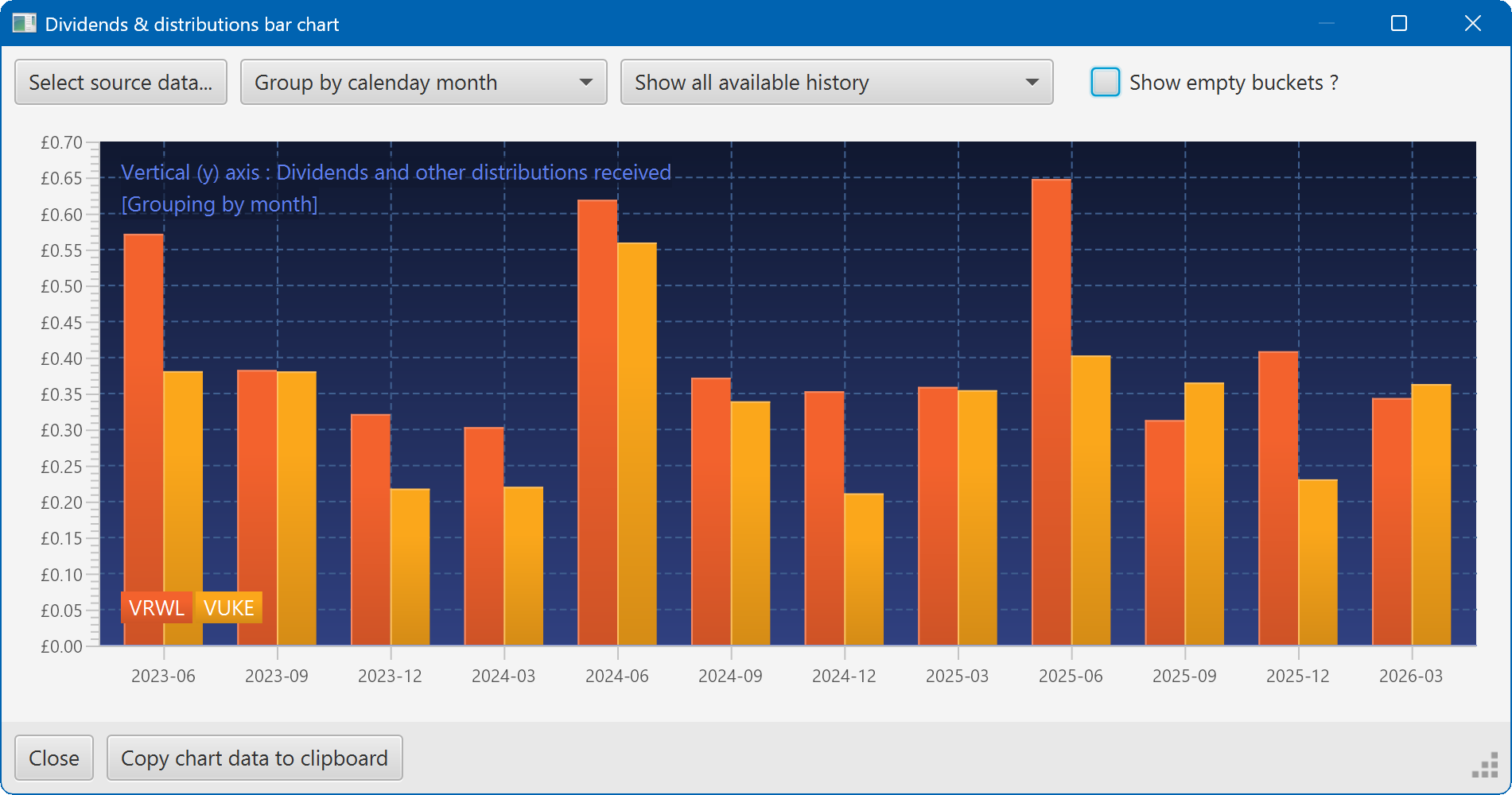
A bar chart showing the dividend history of two securities